Stay on Top of Every Class and Assignment
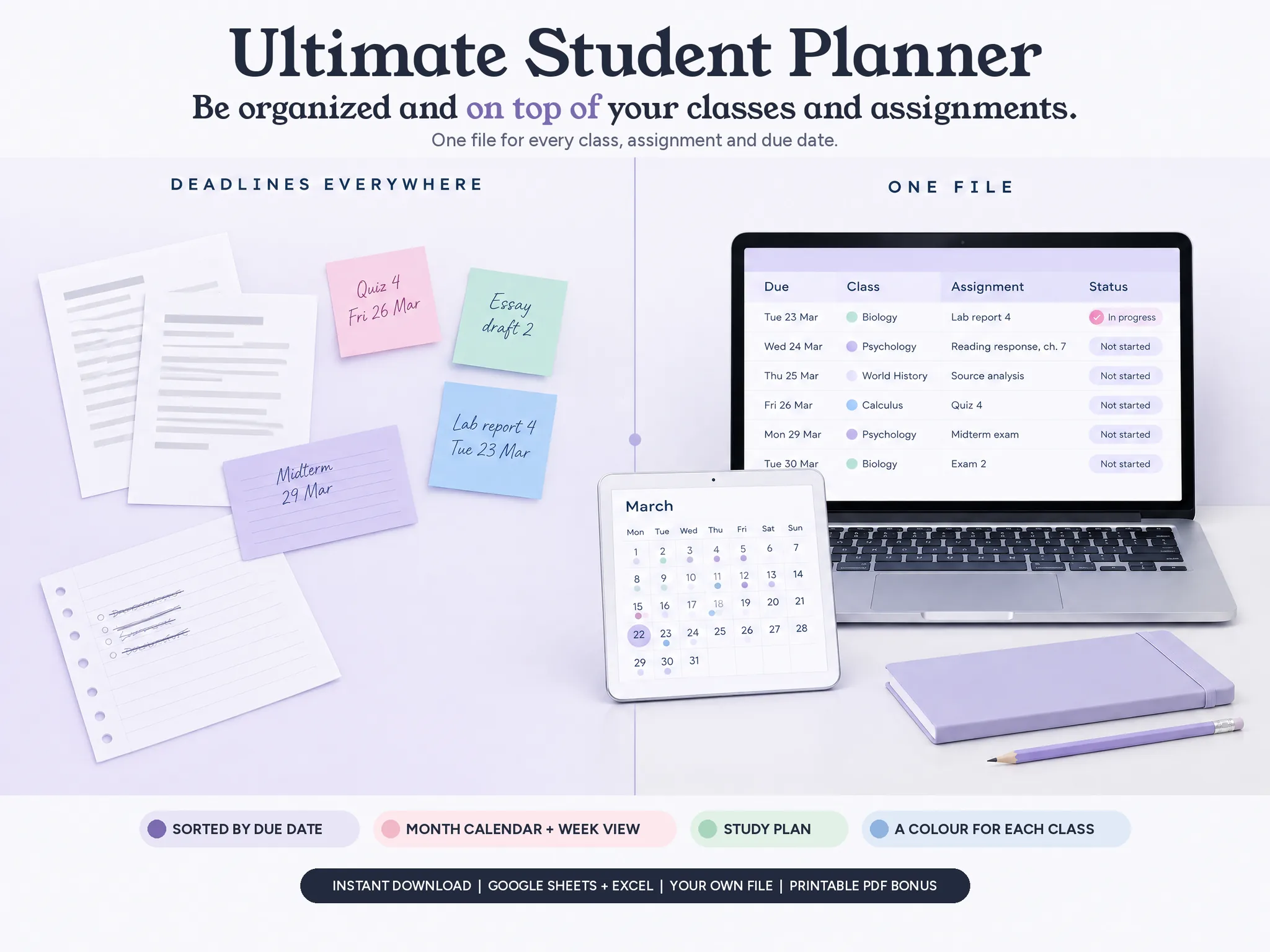
One file for every class, assignment and due date: a place for each class, assignments sorted by due date, a month calendar and a week view, a study plan and your grades. In Google Sheets and Excel.
- Every class and its assignments in one file, sorted by due date
- Due dates on a month calendar, and the week on its own page
- A study plan with a "to reschedule" list for missed sessions
- A colour for each class, on every tab
$297$9Instant download • Google Sheets + Excel (made for Microsoft 365) • Your own file, no account with us • Pay once, no subscription, no ads
Your own file, in Google Sheets and Excel
Screens From the Sample Semester
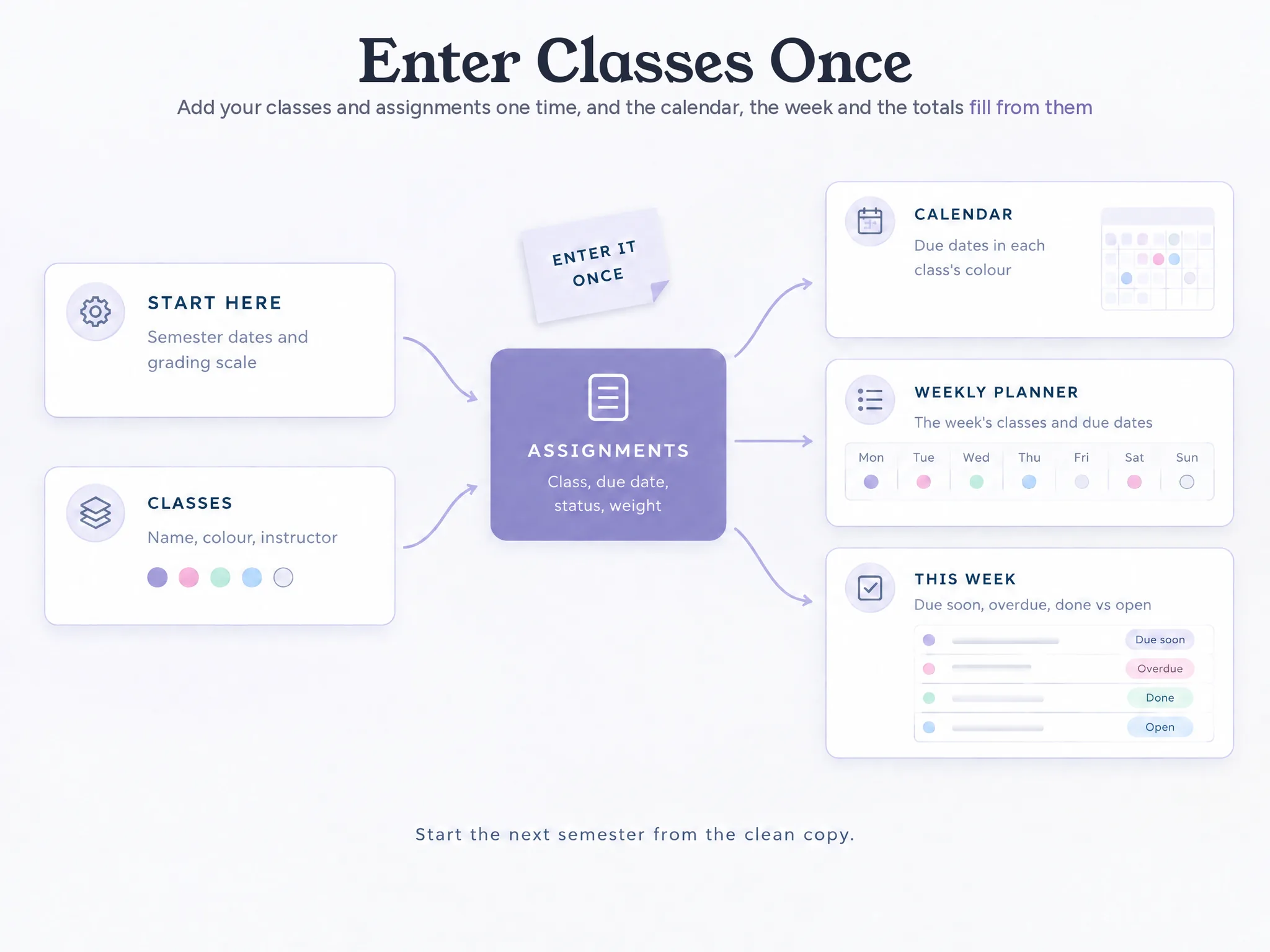
Add your classes once, then your assignments and due dates. The calendar, the week and the totals fill in from them.
What the File Holds for Each Class
Your classes, assignments, due dates, schedule, study time and grades, in one spreadsheet you own. Add each class once and every tab uses it, in its colour.
Assignments
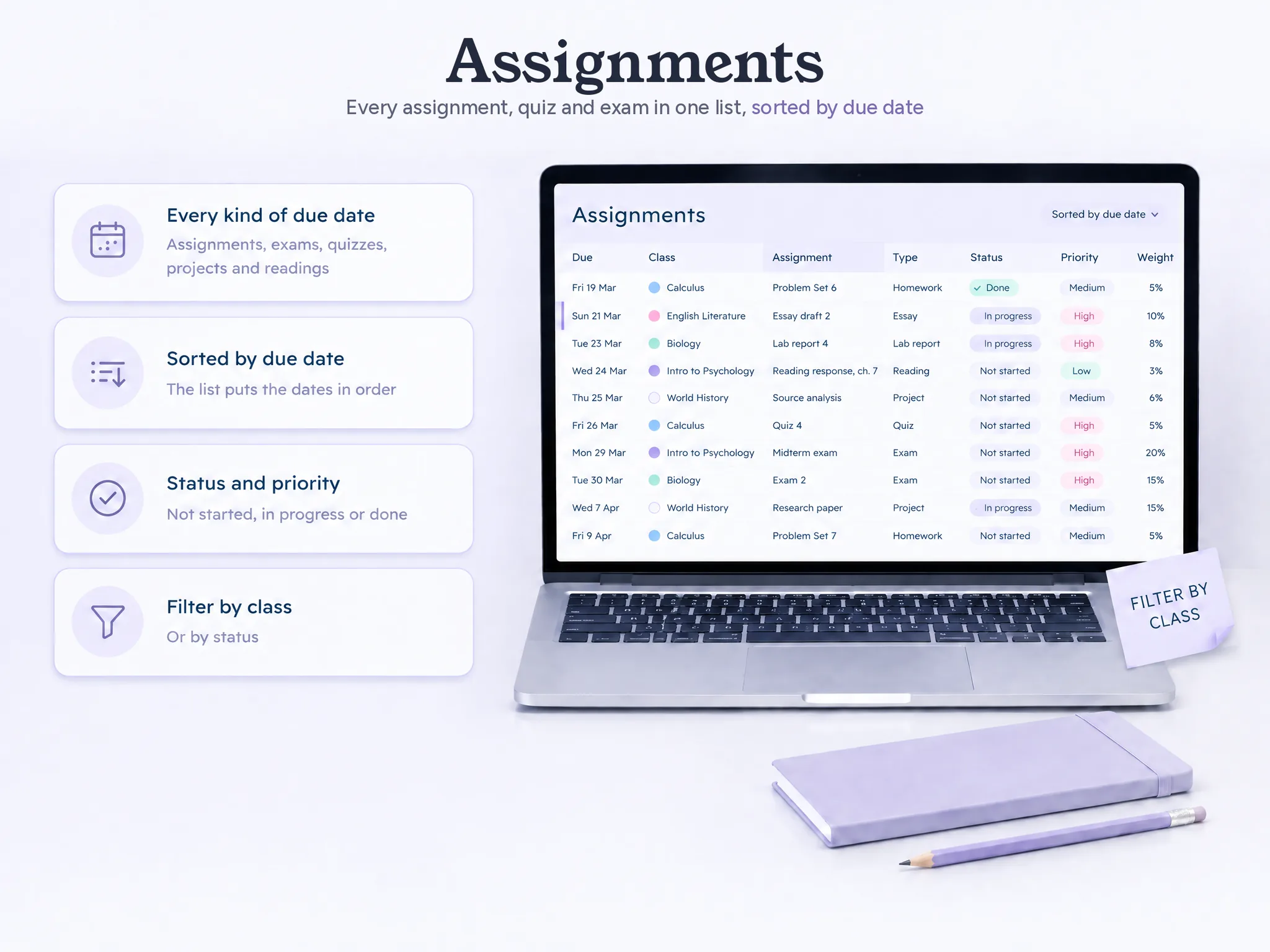
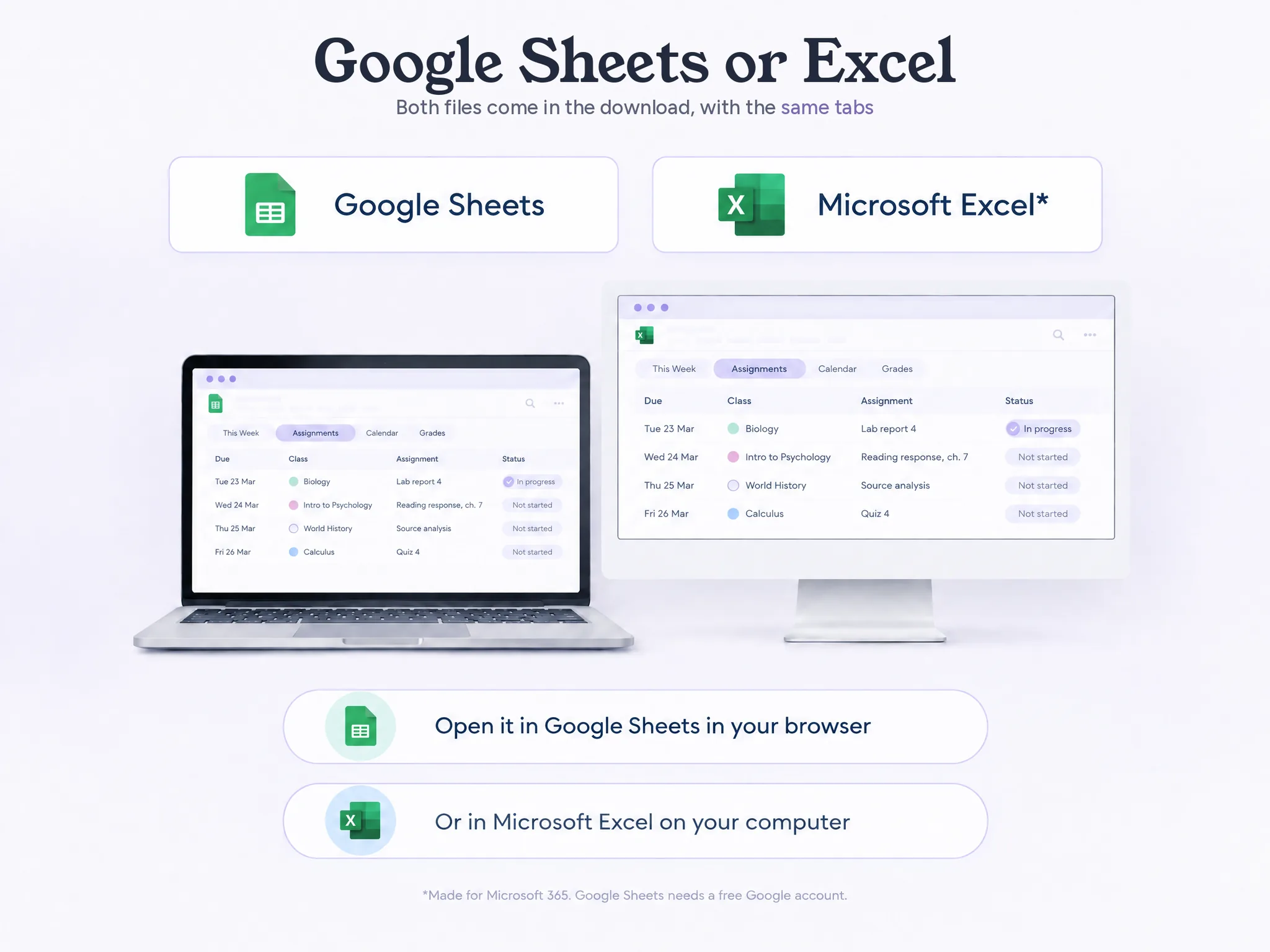
Every assignment, exam, quiz, project and reading, with its class, type, due date and time, status, priority, estimated time and grade weight. The list sorts by due date on its own, so the dates are always in order. Filter by class or status.
Calendar
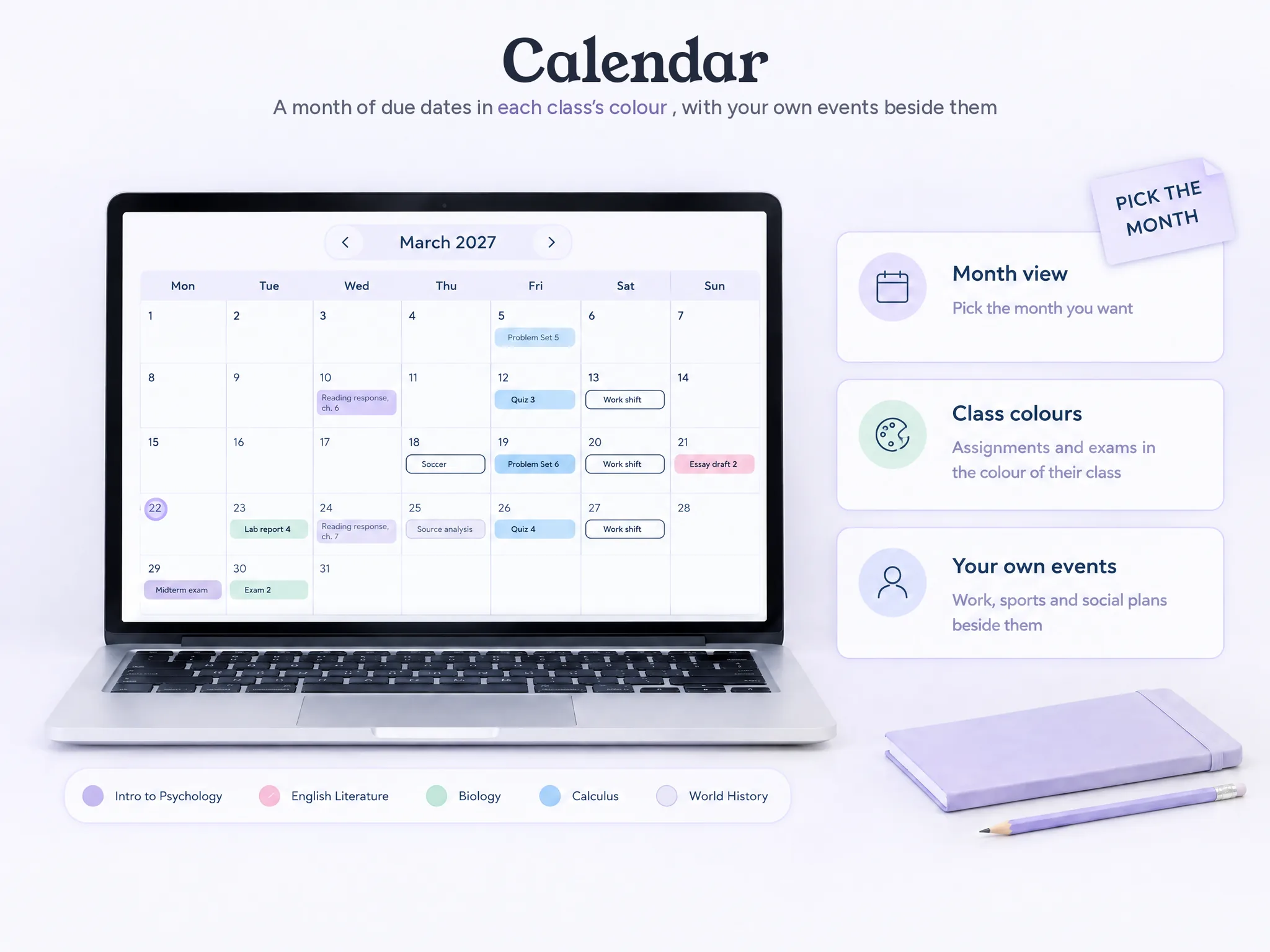
A month view filled from Assignments, each due date in its class's colour, with exams as a type of due date. Add your own events too: practice, work shifts, plans with friends. Pick the month you want to see.
Weekly Planner
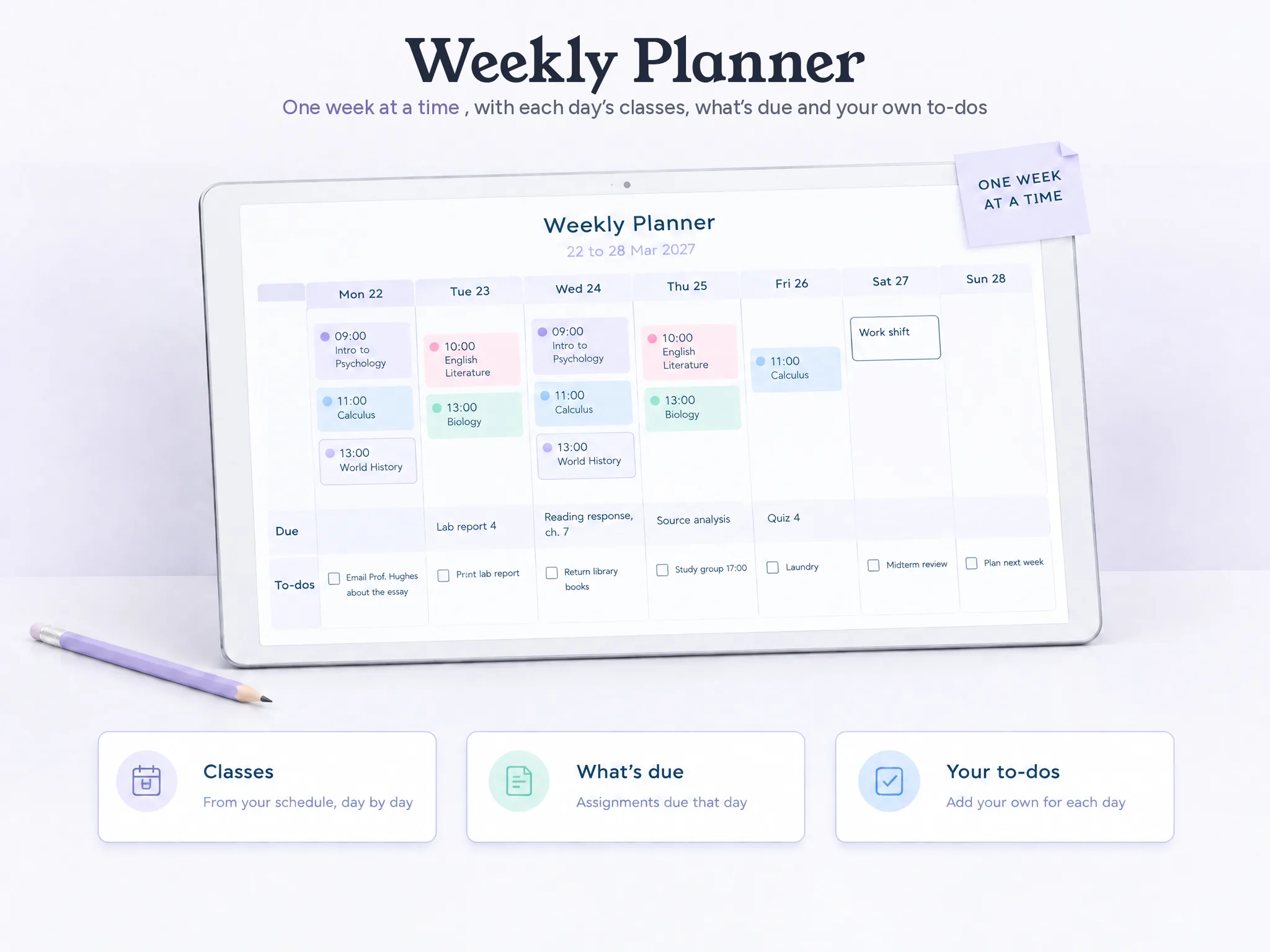
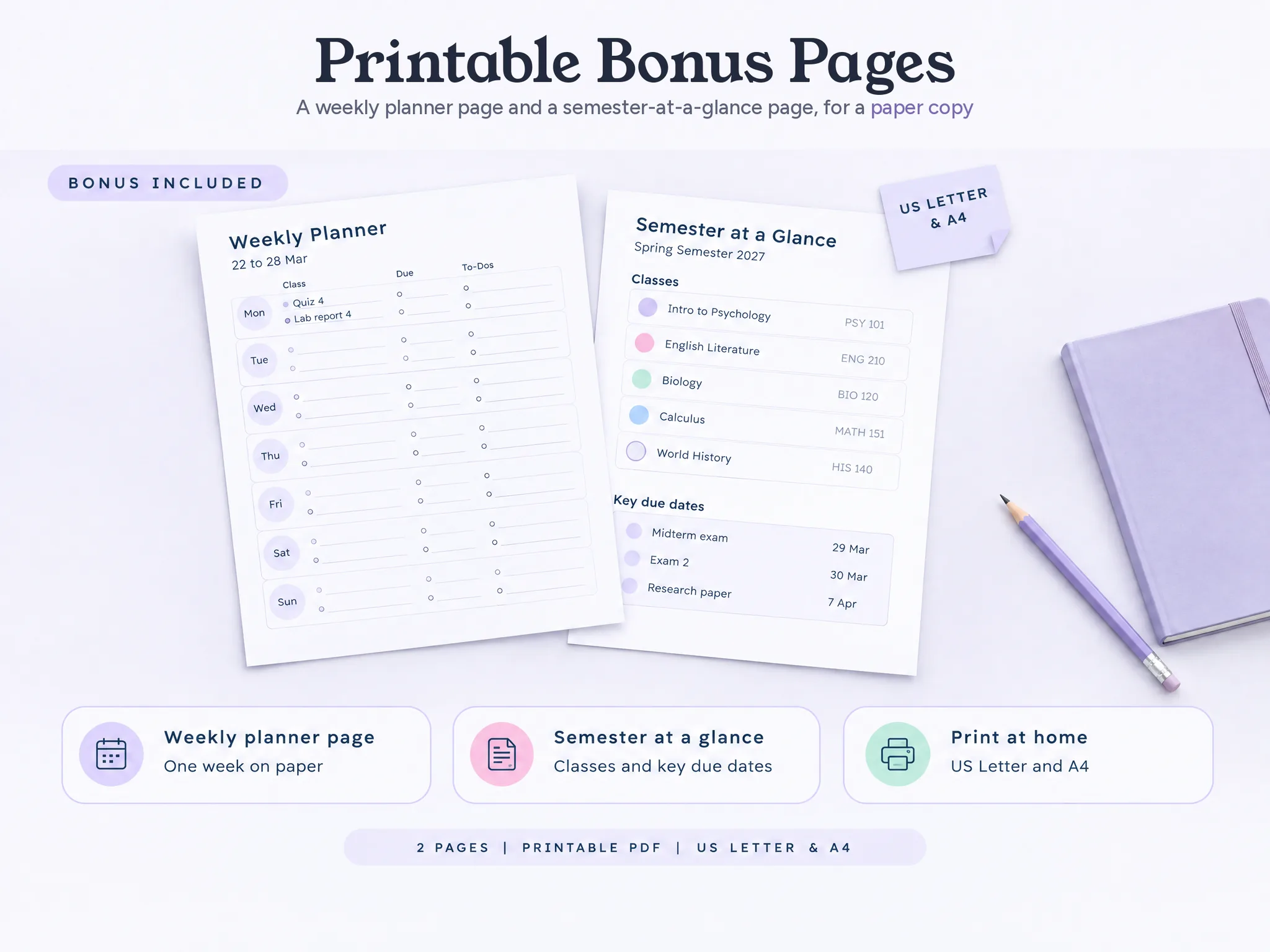
One week at a time: each day's classes, what's due that day, and your own to-dos beside them.
Class Schedule
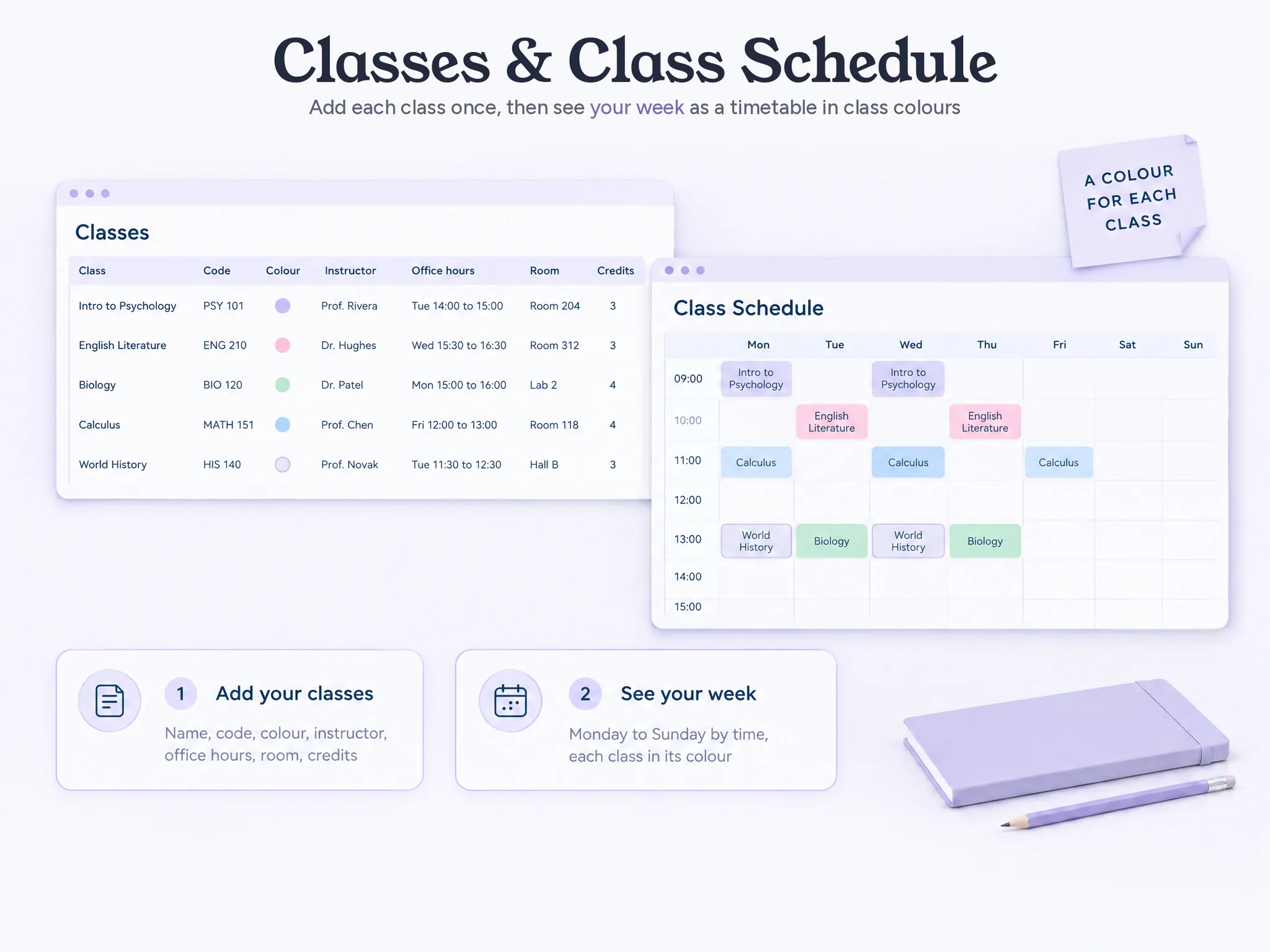
Your weekly timetable, Monday to Sunday by time, each class in its colour.
Study Plan
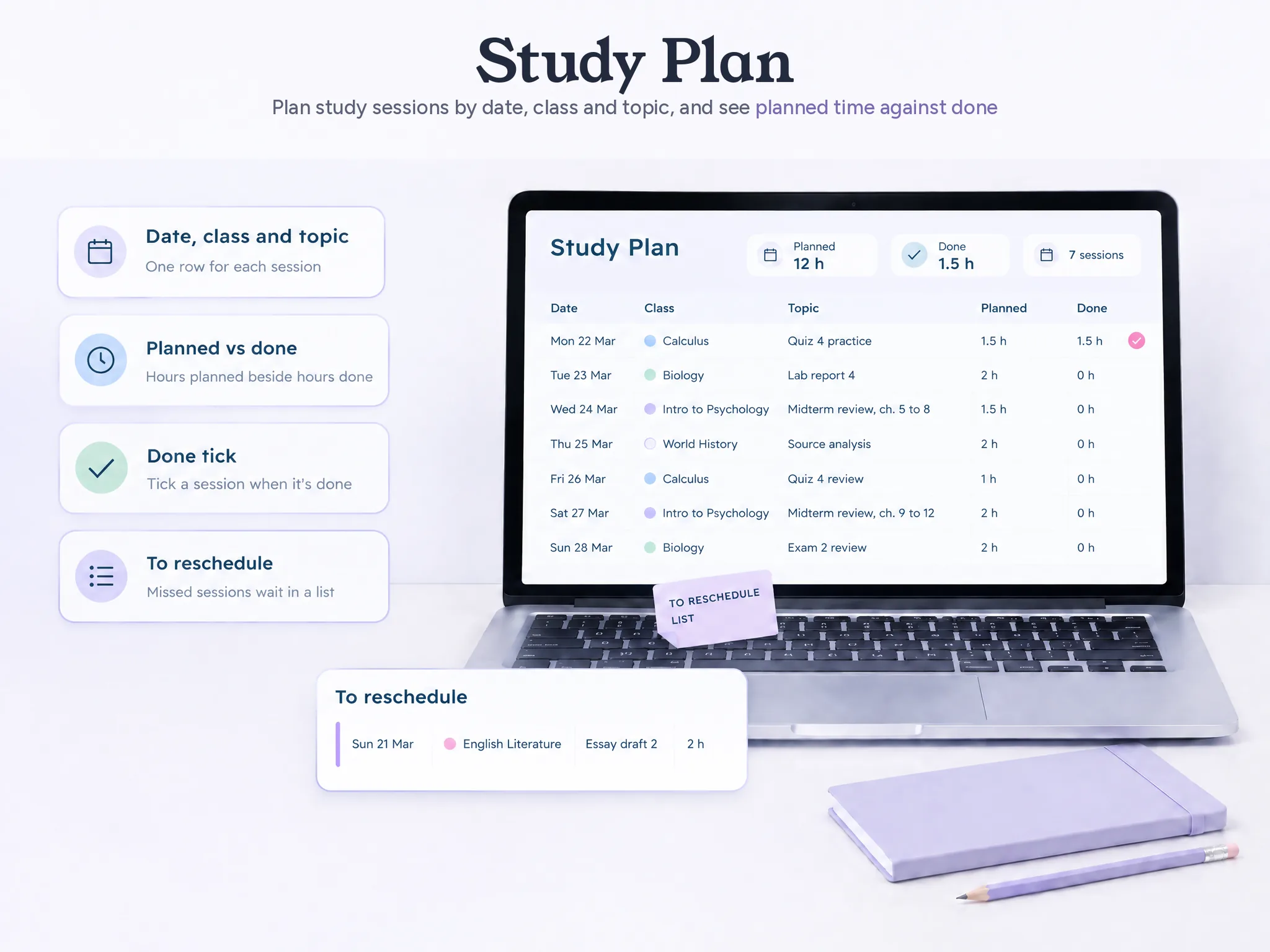
Study sessions by date, class and topic, with planned and done time and a done tick. A missed session goes to a "to reschedule" list, so nothing breaks when you skip a week. No streaks to lose.
Grades
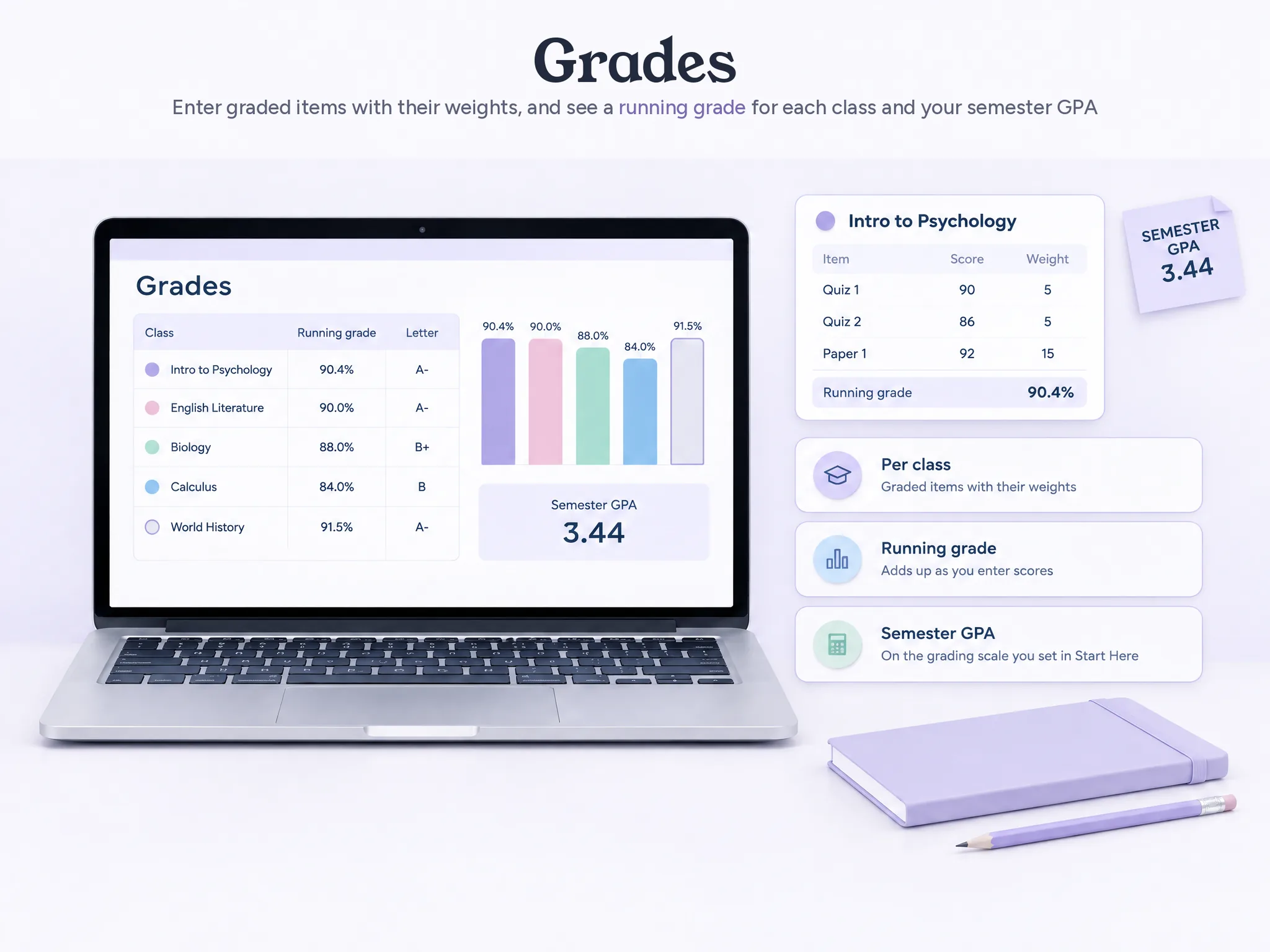
For each class, your graded items and their weights add up to a running grade, and the semester GPA uses the grading scale you set in Start Here.
This Week
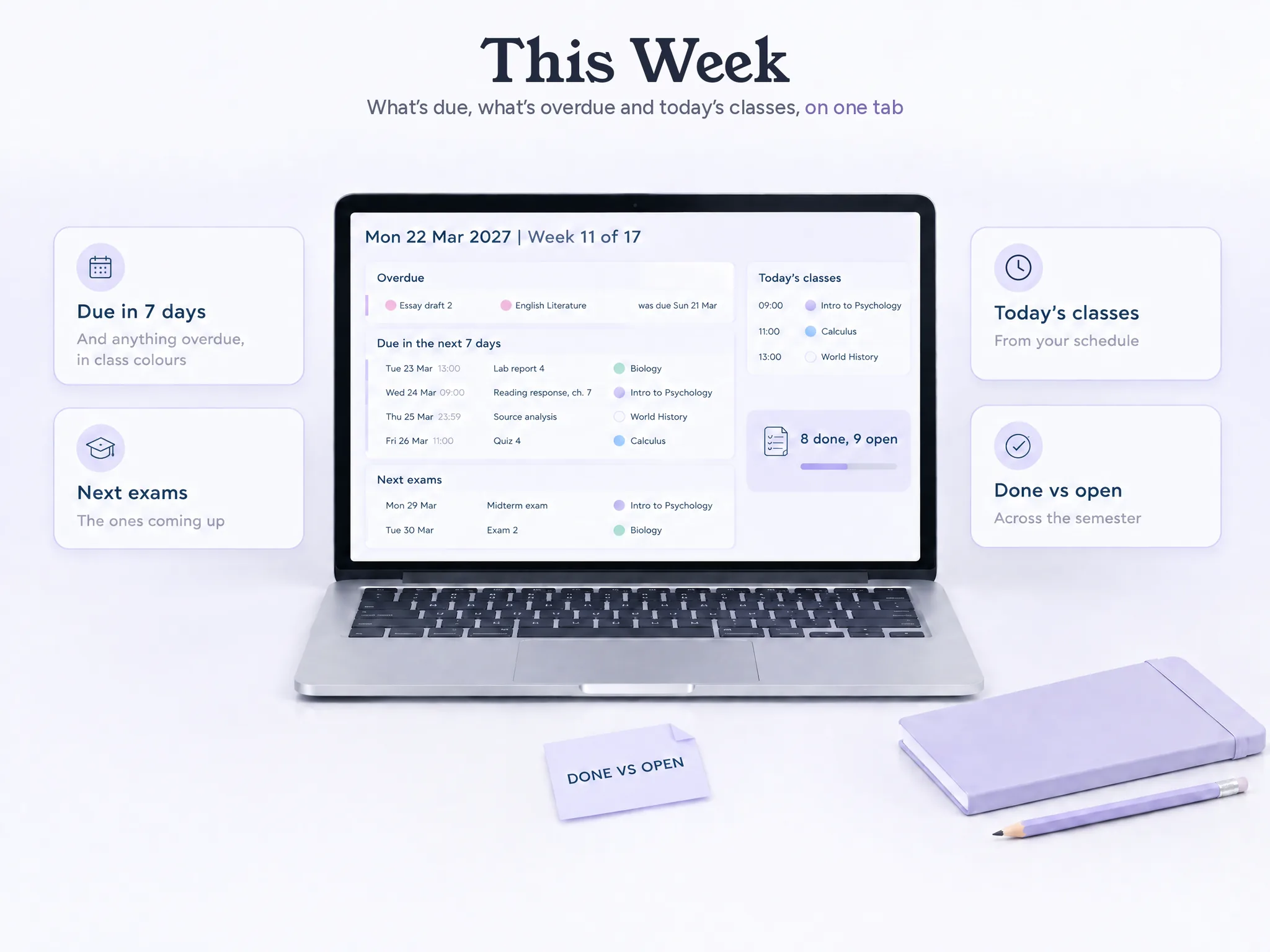
What's due in the next 7 days and what's overdue, by class colour, the next exams, today's classes, this week's study sessions, and how many assignments are done and still open.
Classes
Each class with its name, code, colour, instructor, office hours, room or link, credits and notes. The other tabs take each class's name and colour from here.
A Clean Copy for Each Semester
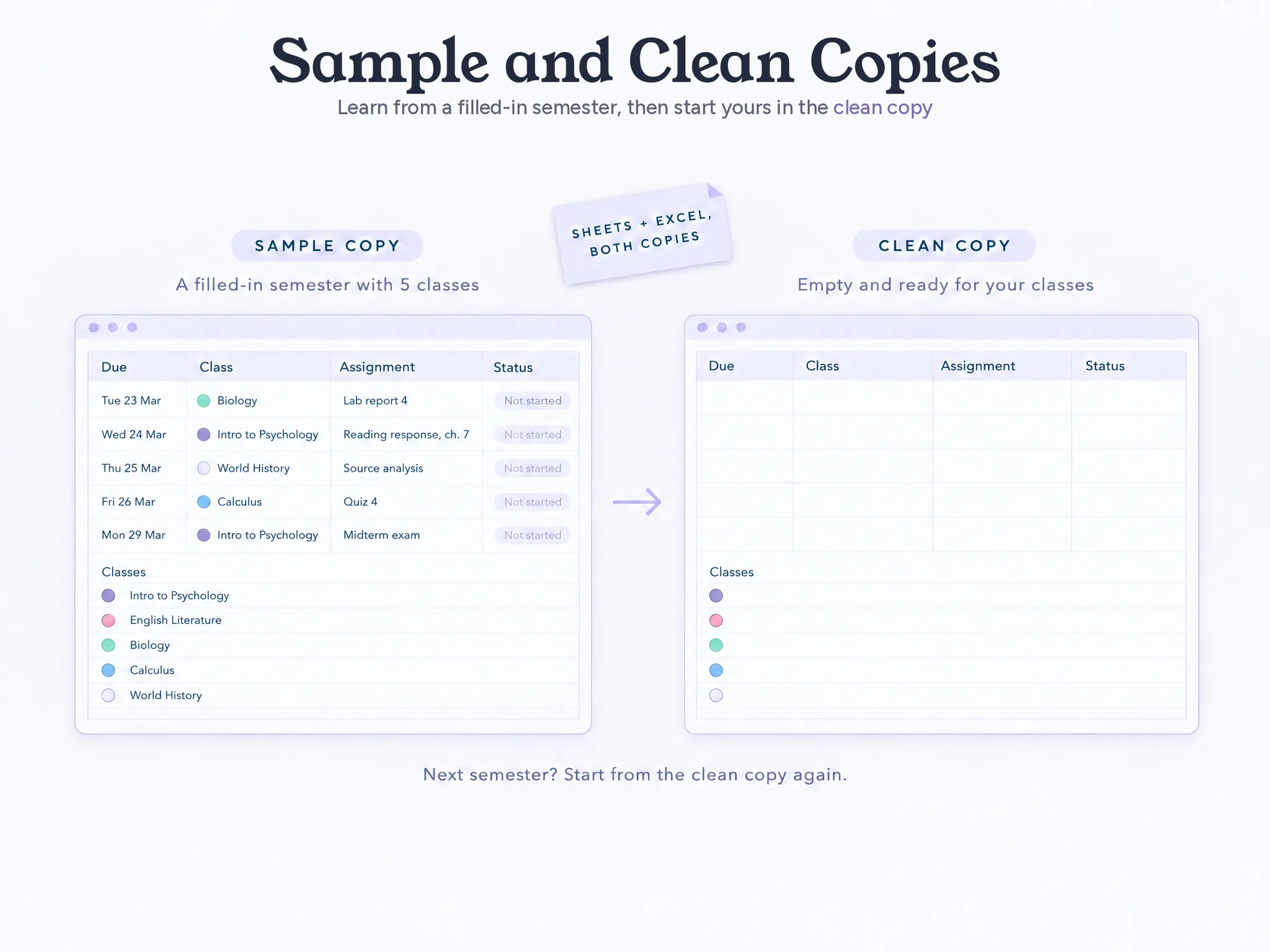
Delete or clear any assignment row and the calendar and the totals still work. When the next semester starts, open the clean copy. There's no reset button: the clean copy is the fresh start.
Your Download: Google Sheets, Excel and Printables
Start Here and This Week (2 Tabs)
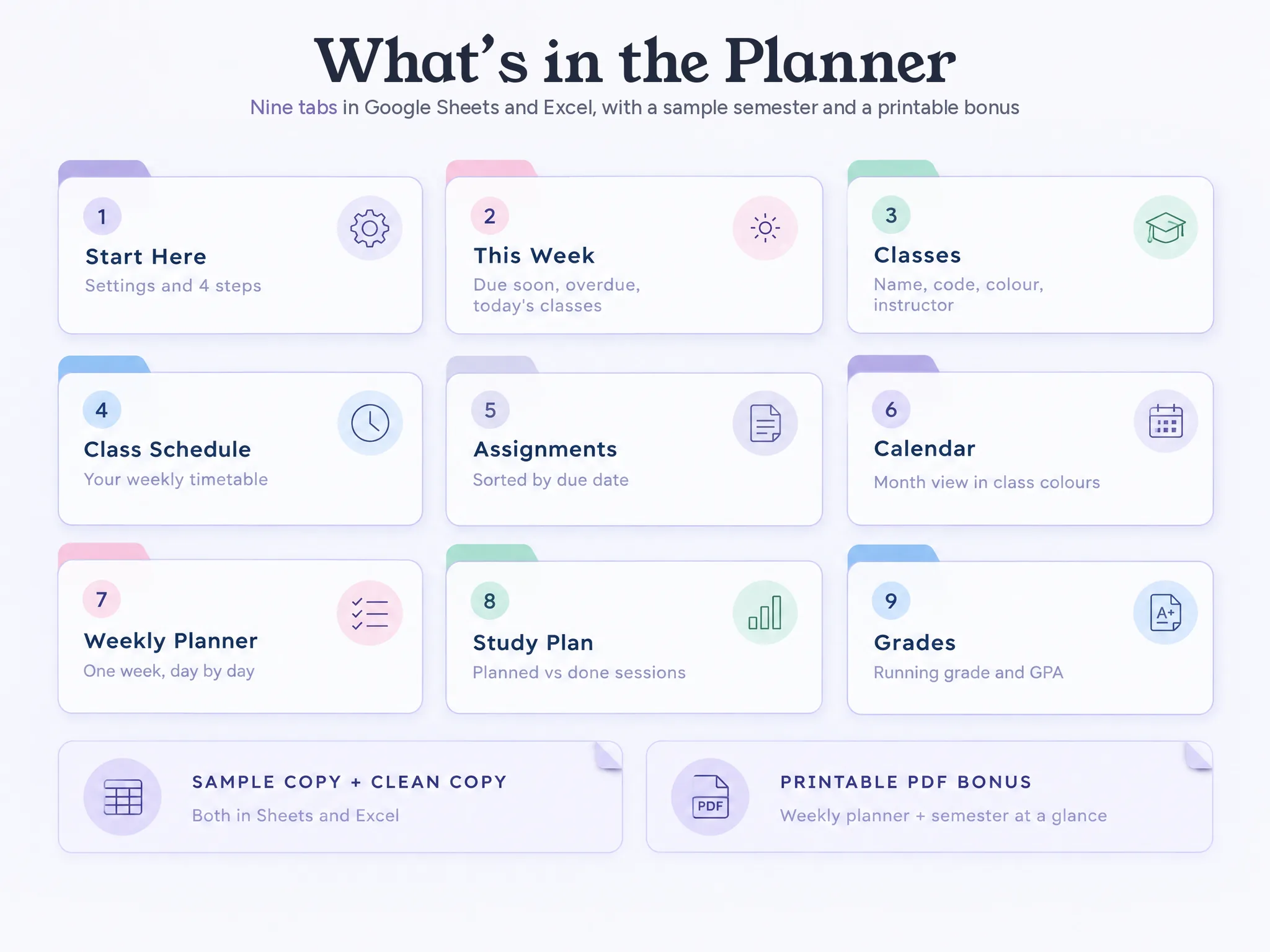
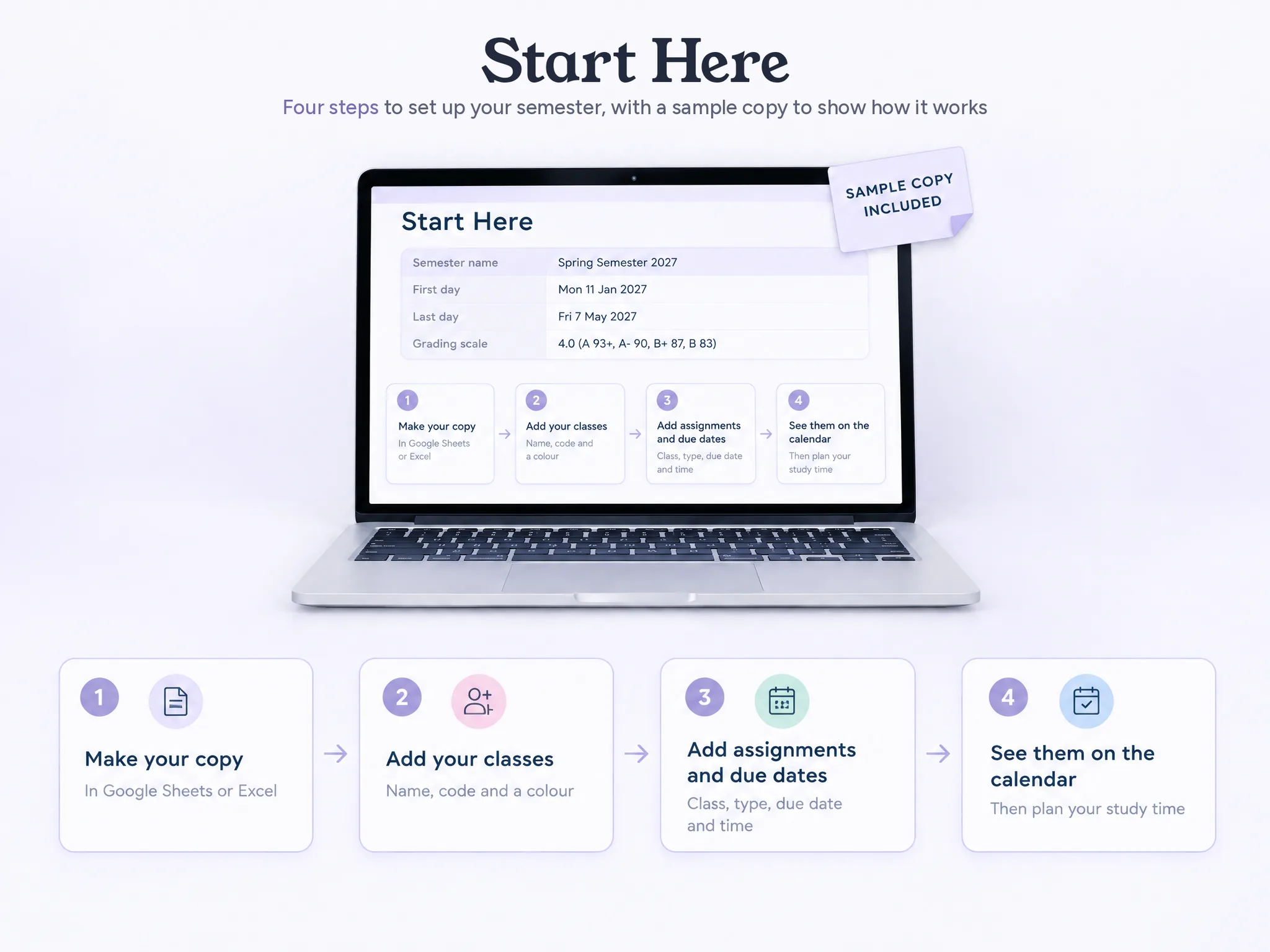
Start Here (how it works in 4 steps, your settings: semester name, first and last day, grading scale, how to start the next semester, a short FAQ) and This Week (due in the next 7 days, overdue, next exams, today's classes, study sessions, done vs open).
Classes and Class Schedule (2 Tabs)
Classes (up to 10, each with its colour, instructor, office hours, room or link, credits and notes) and Class Schedule (the weekly timetable, Monday to Sunday).
Assignments, Calendar and Weekly Planner (3 Tabs)
Assignments (up to 300 a semester, sorted by due date), Calendar (a month view in class colours, plus your own events) and Weekly Planner (one week at a time, with your to-dos).
Study Plan and Grades (2 Tabs)
Study Plan (sessions by date, class and topic, planned vs done, a "to reschedule" list) and Grades (weighted items, a running grade per class, a semester GPA).
Also Included
The Main Tabs, Up Close
Every tab works in Google Sheets and Excel. Add your classes in Classes and your due dates in Assignments, and the rest fills in from them.
Assignments
Every assignment in one list, with its class, type (assignment, exam, quiz, project, reading), due date and time, status, priority, estimated time, grade weight and notes. The list sorts itself by due date, so what's next is always at the top. Filter by class or by status.
Calendar
A month view filled from Assignments: each due date sits on its day in its class's colour, and exams show as a type of due date. Add your own events beside them, from practice to work shifts. Pick the month; the week has its own tab, the Weekly Planner.
Study Plan
Plan study sessions by date, class and topic, with the time you planned and the time you did, and tick each one off. A missed session moves to the "to reschedule" list instead of breaking the plan, so you pick up where you left off.
This Week
Open the file and see the week: what's due in the next 7 days and what's overdue, by class colour, the next exams, today's classes from your schedule, the study sessions planned this week, and how many assignments are done and still open this semester.
Classes and Class Schedule
Add each class once in Classes: name, code, colour, instructor, office hours, room or link, credits and notes. Then the Class Schedule shows your week as a timetable, Monday to Sunday by time, each class in its colour. The Weekly Planner and This Week read today's classes from it.
Grades
For each class, list the graded items with their weights and the grade you got. They add up to a running grade for the class, and the semester GPA uses the grading scale you set in Start Here.
Sound Familiar?
Every class gives you a different place to look. It usually goes like this:
- Due dates in the syllabus, the class website and a note on your phone
- A study plan you follow for two days before life happens
- An assignment you remember the day after it was due
- Too much at once, and no idea what comes first
The planner gives each class a home: its assignments sorted by due date, on a calendar, with a study plan you can pick back up.
Google Sheets and Excel, Yours to Keep
No login with us, no ads, and no paywall that shows up after you've entered the whole semester. Your classes and assignments stay in your own file.
And a homemade sheet? You could spend hours building an assignment tracker. Here the tabs are already built and linked, and the sample semester shows how each one works, so you start with your classes, not with formulas.
Set It Up in Minutes
Open the sample semester to see every tab filled in, then start in the clean copy. Start Here takes your settings once: the semester name, the first and last day, and the grading scale for your GPA. Then add your classes. No formulas to write.
Printable Weekly Planner and Semester Page
2 printable pages for paper: a weekly planner page and a semester-at-a-glance page for your classes and key due dates, as a PDF in US Letter and A4.
Three Reasons to Plan Your Semester Here
Google Sheets and Excel, both included. Set it up on your laptop, then check the week on your phone.
ORGANIZED AND ON TOP OF IT
Each class and each assignment has its place, so you can see what's due and what comes next without checking each class's website.
CLASSES, ASSIGNMENTS AND DUE DATES
In one file: your classes, every assignment sorted by due date, the calendar, the week and your study plan.
YOUR OWN FILE, PAY ONCE
Google Sheets and Excel, no subscription, no account with us. A clean copy for the next semester.
How It Works, in 4 Steps
From your classes to the calendar
Make Your Copy
Open the link and save your own copy
Add Each Class
Name, colour and schedule
Add Assignments
With their due dates
Plan the Week
See them on the calendar and plan study time
Get the Student Planner for $9
One download with everything on this page: 9 connected tabs in Google Sheets and Excel, a sample semester and a clean copy, plus the printable weekly planner and semester pages. Pay once.
- Assignments, Sorted by Due Date
- Calendar and Weekly Planner
- Classes and Class Schedule
- Study Plan and Grades
- Start Here and This Week
- Google Sheets and Excel, Sample + Clean Copy
- Printable Weekly Planner & Semester Page (PDF)
Instant digital download • Google Sheets & Excel • One-time payment
This is a digital product with immediate access after purchase. No refunds on the Ultimate Student Planner or any order bump. The optional upgrade offered after checkout is the one exception, with a 90-day money-back guarantee.
Open It on Your Laptop, Phone or Tablet
Google Sheets runs in your browser on Mac or PC and in the Google Sheets app on your phone or tablet. The Excel file is made for Microsoft 365. Setup is easiest on a computer.
Frequently Asked Questions
What to know before you buy
Be organized and on top of your semester. Pay once.