Best Academic Planner for 2026-2027: Paper, App or Spreadsheet?
Compare paper, digital PDF, app and spreadsheet planners for 2026-2027. See current prices, what each handles well and which fits your classes.
By Ultimate Student Planner by Cosmo Suite · Editorial policy
Published · 9 min read
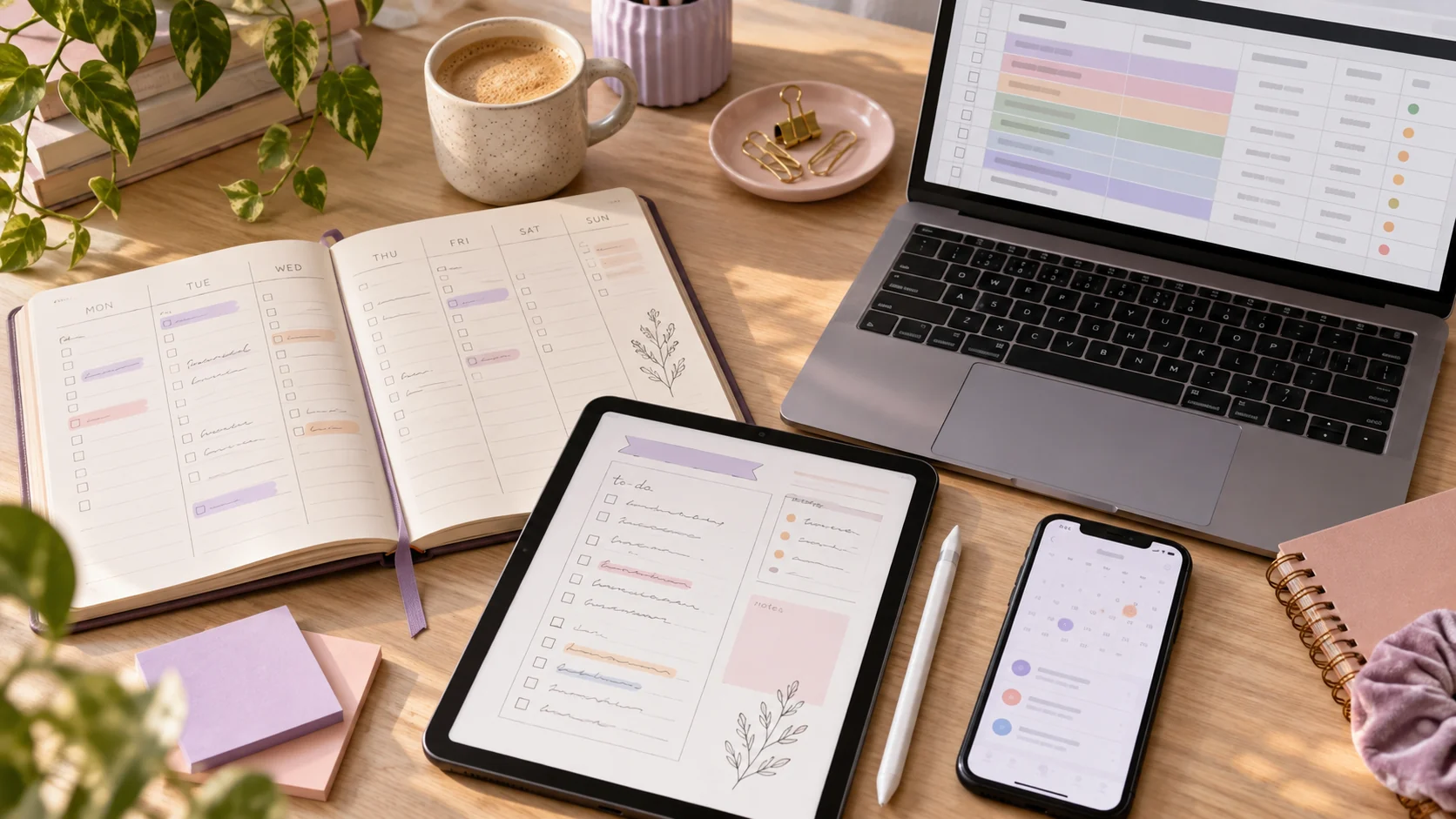
It is week 3. Your paper planner is in the other backpack, the class app has sent six reminders, and the spreadsheet still has last semester’s dates. Therefore, the choice of an academic planner for 2026-2027 comes down to which problem you want to solve first.
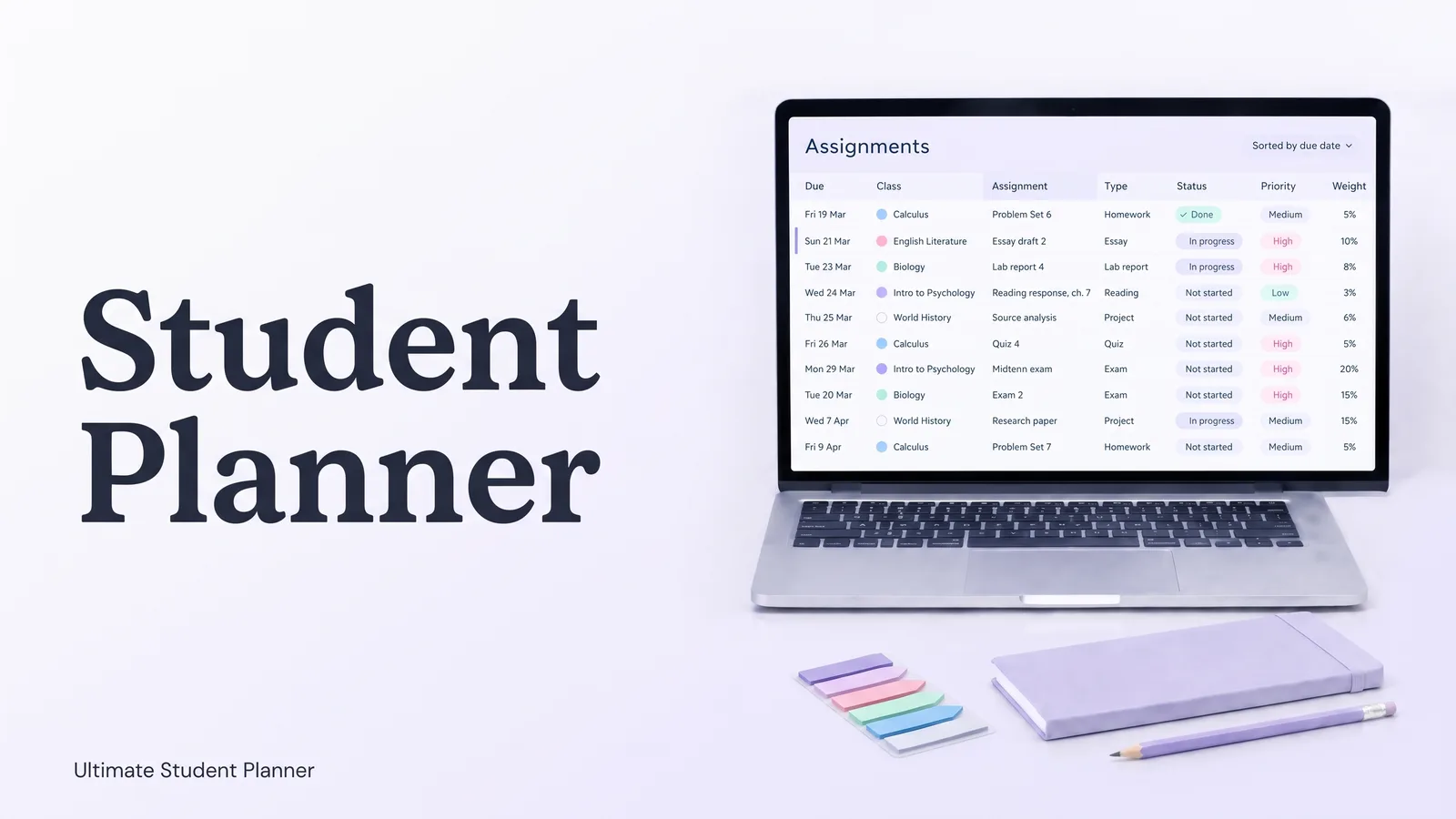
An academic planner is a paper book, app or digital file that holds your classes, due dates and study plans. Ultimate Student Planner is a Google Sheets and Excel planner by Cosmo Suite, called Ultimate Student Planner on ultimatestudentplanner.site. It is one spreadsheet option in this comparison. For that reason, paper works well when you want to write by hand, while apps suit reminders and changing schedules. A digital PDF feels like a notebook on a tablet; meanwhile, a spreadsheet can make one sorted list across classes.
Still, there is no single best format for every student because each one solves a different planning problem. Choose the academic planner you will reopen after a busy week, starting with the feature you need most.
The Short List
- Pick paper if you want a book you can write in without opening a device.
- Pick an app if reminders, phone access or rotating class days matter most.
- Pick a digital PDF if you like handwriting on a tablet.
- Pick a spreadsheet if you want one editable list across classes and due dates.
Academic Planners at a Glance, Class by Class
In particular, start with the part of school that gets scattered: each class has its own dates, tasks and routine. I checked each vendor's published format, school features, setup and price on 15 October 2026. Prices and stock can change, so use the linked seller page to confirm details before you buy.
| Option | What it does well | Watch for | Best for |
|---|---|---|---|
| The Dailee 2026-2027 College Planner, paper | Dated daily pages, weekly views and academic sections; listed at $55 | The product page showed it sold out | Students who want a physical book and detailed daily space |
| Passion Planner Digital Student, PDF | Hyperlinked pages for handwriting in a tablet note app; $20 sale price, $40 list price | Needs a compatible tablet and annotation app; sale price may change | Students who like pen-on-screen planning |
| MyStudyLife, app | Classes, assignments, exams, study planning and reminders; free to start, Premium listed at $6.99 monthly or $39.99 yearly | Premium is recurring; confirm which features are free | Students who want phone access and notifications |
| The Dailee College Planner Spreadsheet | Google Sheets and Excel formats; listed at $28 | A dated August 2026-July 2027 file needs next year’s edition | Students who want an editable spreadsheet with broad planning pages |
| Ultimate Student Planner | Nine connected tabs, Google Sheets and Excel, sample and clean copies; $9 once | No sync, reminders or A/B schedule | Students who want class due dates sorted in one file |
The table compares formats, not hands-on lab results or every planner on sale. We make the Ultimate Student Planner, so its row is included with the limits visible. In other words, a listed price is not a promise that a product is in stock; likewise, a sale price may change.
Accordingly, narrow the list by circling the one missing feature that would make you stop using the planner. For example, if you need an alert before each class, reminders matter more than extra page layouts. On the other hand, if you need to see deadlines across several syllabi, one sorted list may matter more than handwriting space.
When a Paper Academic Planner Fits
A paper planner fits when writing things down helps you remember to look at them. For example, you can open it in class, mark a page and see the week without switching apps. The Dailee’s 2026-2027 College Planner product page describes dated daily pages, weekly overviews, class schedules and assignment sections.
Nevertheless, a paper planner means carrying and rewriting. When a syllabus date changes, you have to update it by hand wherever you wrote it; a dated book also has a fixed calendar. The Dailee listed its book at $55, but its page showed it sold out on 15 October 2026. As a result, stock can matter more than layout if you need a planner after the semester has started.
Best for: you prefer paper, want a ready-dated year, and do not mind keeping the book nearby.
When a Digital PDF Planner Fits
By contrast, a digital PDF planner gives you page-like writing on a tablet. Passion Planner describes its Digital Student Planner as a hyperlinked PDF for apps such as Goodnotes, Notability or Xodo. On 15 October 2026, its collection showed a $20 sale price against a $40 list price.
That format can feel familiar if you already write with a stylus, because its pages work like a notebook. However, it is still a document, so you may need to duplicate pages or search them yourself. A PDF is also different from an app that stores classes as separate data and sends alerts. Passion Planner says its digital files are designed for tablets and note-taking apps; it also offers a free sample to try first.
Best for: you own a tablet, like handwriting, and want a digital notebook rather than automated reminders.
When a Student Planner App Fits
Similarly, choose an app when your schedule changes often or you want alerts on your phone. MyStudyLife lists classes, rotating timetables, homework, exams, study planning and reminders among its features. Its media page says the service is free to start; Premium was listed at $6.99 per month or $39.99 per year on 15 October 2026.
Before choosing an app, check the features you rely on and the price after any trial. “Free to start” does not tell you which feature requires Premium, so check the plan details. Also check how the app handles your school’s schedule, because rotating days can be hard to fit into a simple weekly calendar.
Moreover, an app’s strongest feature can also become extra noise. Alerts help when they remind you about a deadline; if you already get too many pings, however, look for controls that let you choose which events send notifications.
Best for: you want phone access, reminders or a timetable that changes by week.
When a Spreadsheet Planner Fits
In practice, a spreadsheet works when you want the same class details to feed several views. The Dailee’s 2026-2027 College Planner Spreadsheet is listed at $28 and includes Google Sheets and Excel formats. Its product page describes daily planning, class schedules, assignment tracking and GPA goals, along with other planning pages.
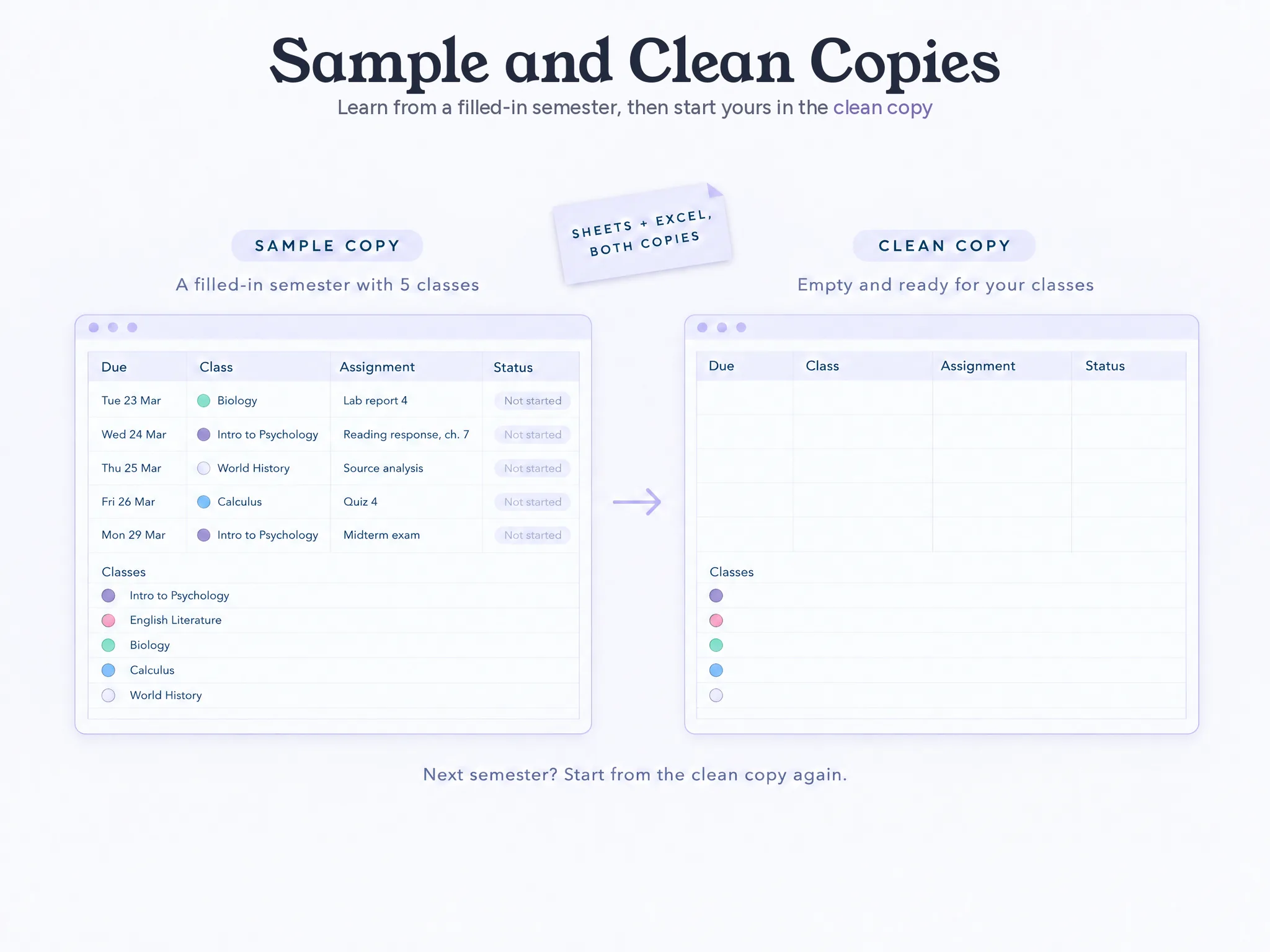
The Ultimate Student Planner takes a narrower route. It has nine connected tabs for classes, assignments, calendar, weekly planning, study sessions and grades. You enter each class once, so assignments sort by due date. It comes with a filled sample semester and a clean copy to start your own, and costs $9 once.
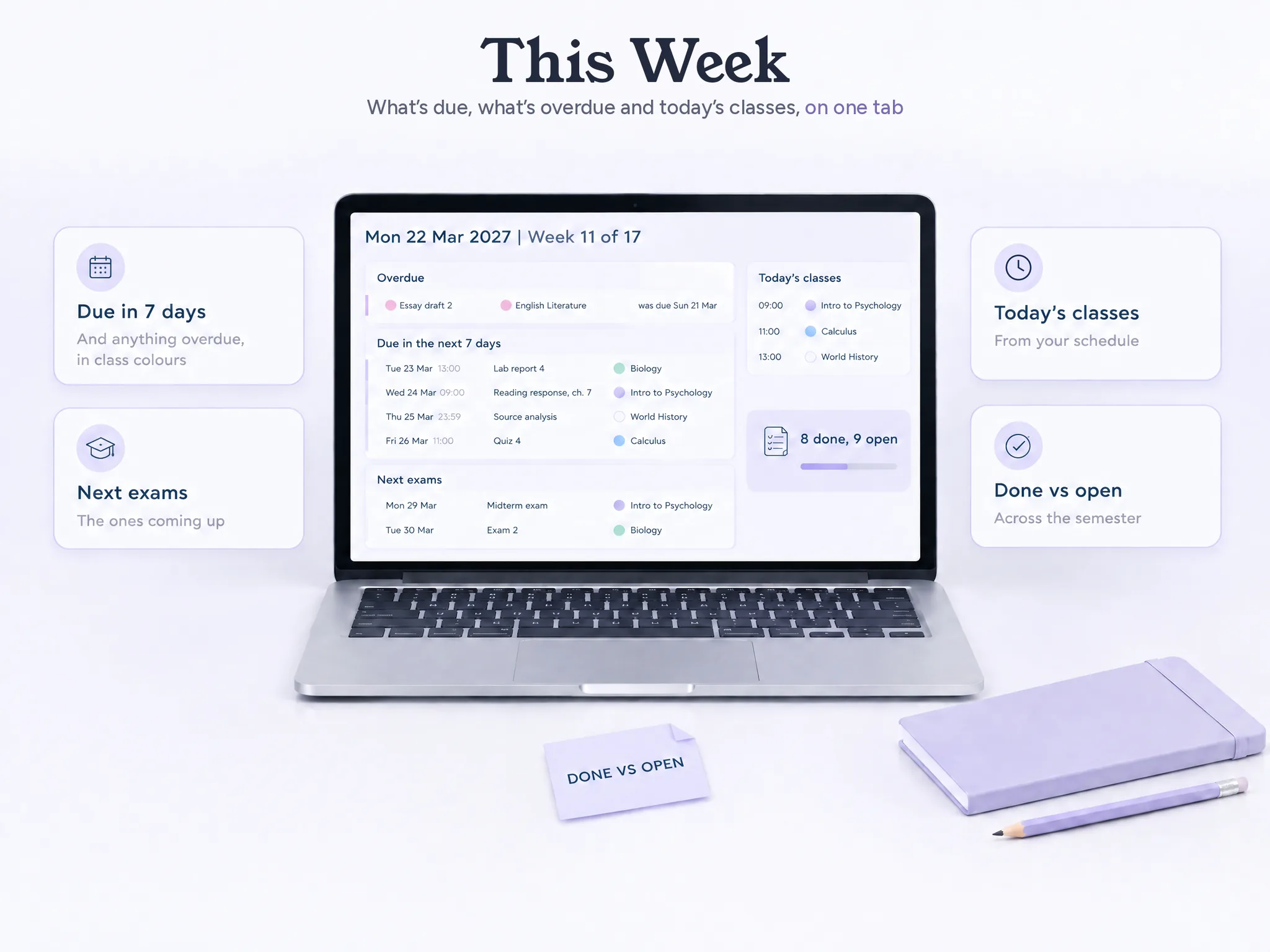
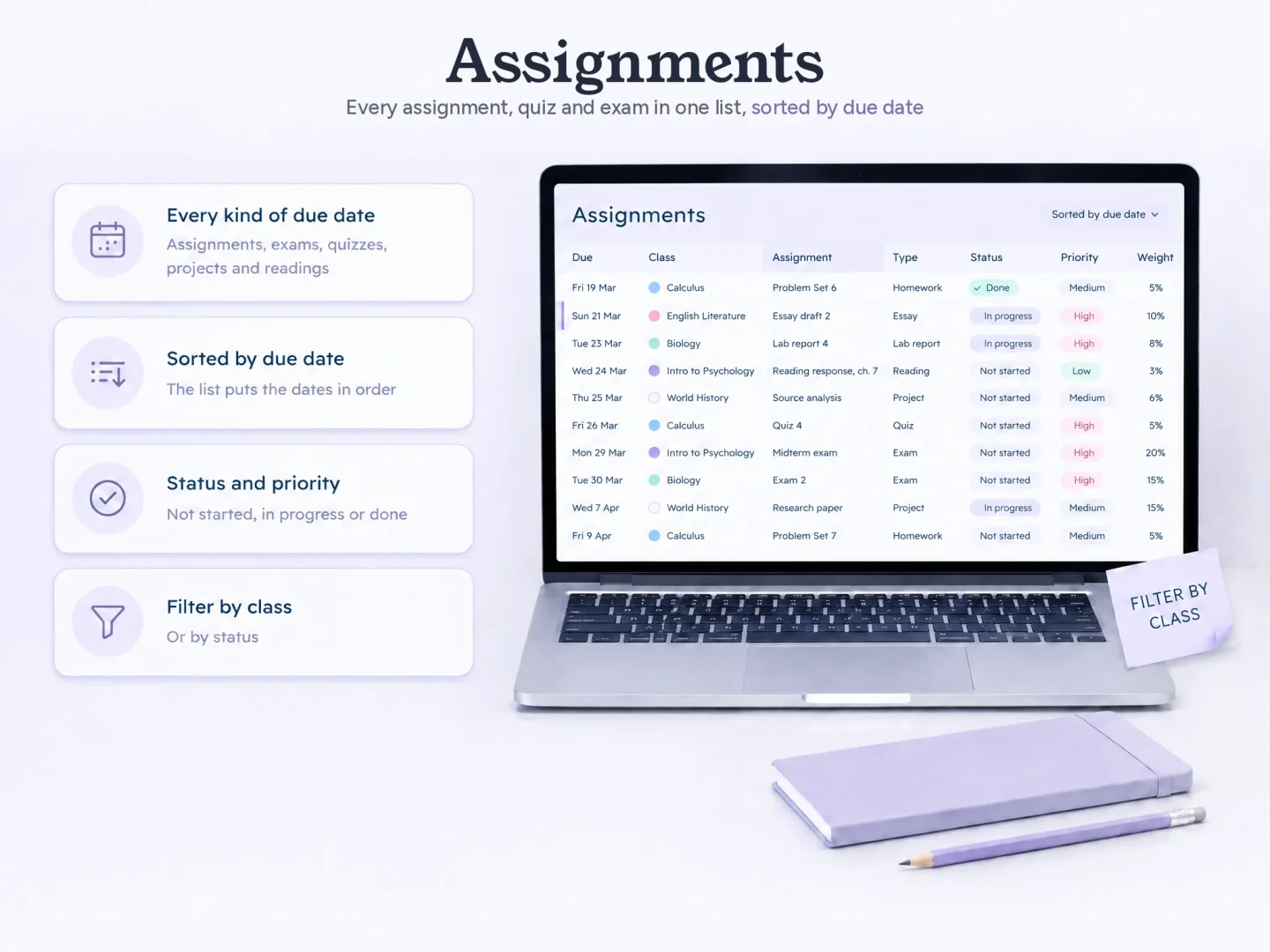
The smaller set of views can help if you only need school planning. However, it has firm limits: no sync or import from a school portal, no notifications and no rotating A/B day schedule. You open and update the file yourself, so choose a tool with those features if reminders or school-system sync are a must.
Best for: you want an editable master list across classes, and you are comfortable opening a spreadsheet.
Choose the Planner You Will Keep Using
Specifically, pick one upcoming week and ask four questions before you choose:
- Where will you check the next assignment while walking between classes?
- Do you need an alert, or do alerts get ignored?
- Do you write better by hand, with a stylus or by typing?
- If you miss a week, can you update the plan without copying everything again?
Then open a sample page before paying. For instance, look for a real class, a due date, and the view you would use on a Tuesday with two deadlines. If a planner hides its layout until after purchase, pause and ask the seller what you will receive.
You can also use two tools, as long as one is the source of truth. For example, keep all assignment dates in one master list, then copy class meetings or appointments into your phone calendar if you need alerts. When a professor changes a deadline, update the master first; otherwise, the two calendars can drift apart.
Trent University's time-management tools recommend recording assignment dates and exams from each class syllabus in a due-date planner. Likewise, that gives you a simple first step: copy the syllabus dates into the format you will check each week.
In addition, if you want to see how a spreadsheet handles a full semester, start with the student planner spreadsheet and sample semester. The Ultimate Student Planner shows its nine tabs, sample copy and clean copy. You can see the included printable pages and spreadsheet formats before deciding. Its price is $9 one time, and it does not sync with school portals or send reminders.
Frequently Asked Questions
Does an academic planner work for high school?
Yes. Paper, app and spreadsheet planners can all hold a high-school schedule. Check whether the planner supports your school’s rotating days if you have an A/B schedule. The Ultimate Student Planner does not.
How much should I spend on an academic planner?
It depends on the format and how long you will use it. The examples checked for this comparison ranged from free to $55, while some prices were sale prices or products were sold out. Confirm the current price and shipping before you buy.
Can I use a paper planner and a phone calendar together?
Yes. Give each one a job. Keep the full assignment list in one place, then copy only class times and appointments to the phone calendar if you want alerts. Update the master list first when a due date changes.
Can a spreadsheet replace a student planner app?
It can replace the list and planning views if you are comfortable opening the file. It will not replace app features such as notifications or rotating schedules unless those are built in. Check the exact product before choosing.
How long does it take to set up a planner?
A dated planner starts with its calendar already filled in. A spreadsheet or app needs your classes and due dates entered. Start with the current syllabus and add the next few weeks before filling in the rest.
Is a digital PDF planner the same as a planner app?
No. A digital PDF is usually a set of pages you write on with a tablet and stylus. An app stores structured classes, tasks or events and may add reminders or sync. The product page should state which one you are buying.
What is the fastest way to pick one?
Choose the format you will open on a busy Tuesday. Then check the specific feature you need most: paper portability, handwriting, reminders, or a sorted list across classes. A sample view can tell you more than a long feature list.
Sources, checked 15 October 2026: The Dailee College Planner; Passion Planner Digital Student; MyStudyLife pricing and product facts; The Dailee College Planner Spreadsheet. This comparison uses vendor-published features and prices. We make the Ultimate Student Planner. Read our editorial policy and about the team. Confirm prices and product details with each seller before you buy.
Frequently asked questions
Does an academic planner work for high school?
Yes. Paper, app and spreadsheet planners can all hold a high-school schedule. Check whether the planner supports your school’s rotating days if you have an A/B schedule. The Ultimate Student Planner does not.
How much should I spend on an academic planner?
It depends on the format and how long you will use it. The examples checked for this comparison ranged from free to $55, while some prices were sale prices or products were sold out. Confirm the current price and shipping before you buy.
Can I use a paper planner and a phone calendar together?
Yes. Give each one a job. Keep the full assignment list in one place, then copy only class times and appointments to the phone calendar if you want alerts. Update the master list first when a due date changes.
Can a spreadsheet replace a student planner app?
It can replace the list and planning views if you are comfortable opening the file. It will not replace app features such as notifications or rotating schedules unless those are built in. Check the exact product before choosing.
How long does it take to set up a planner?
A dated planner starts with its calendar already filled in. A spreadsheet or app needs your classes and due dates entered. Start with the current syllabus and add the next few weeks before filling in the rest.
Is a digital PDF planner the same as a planner app?
No. A digital PDF is usually a set of pages you write on with a tablet and stylus. An app stores structured classes, tasks or events and may add reminders or sync. The product page should state which one you are buying.
What is the fastest way to pick one?
Choose the format you will open on a busy Tuesday. Then check the specific feature you need most: paper portability, handwriting, reminders, or a sorted list across classes. A sample view can tell you more than a long feature list.