Student Planner: What It Should Hold for Each Class (Paper, App or Spreadsheet)
Student planner setup for one semester: what to keep for each class, how paper, apps and a spreadsheet compare, and a routine to restart after a bad week.
By Ultimate Student Planner by Cosmo Suite · Editorial policy
Published · 10 min read
It's week 2. You have five syllabi, three portals and a sticky note that says "bio lab??". A student planner is supposed to fix that, and most of them fix it for about two days.
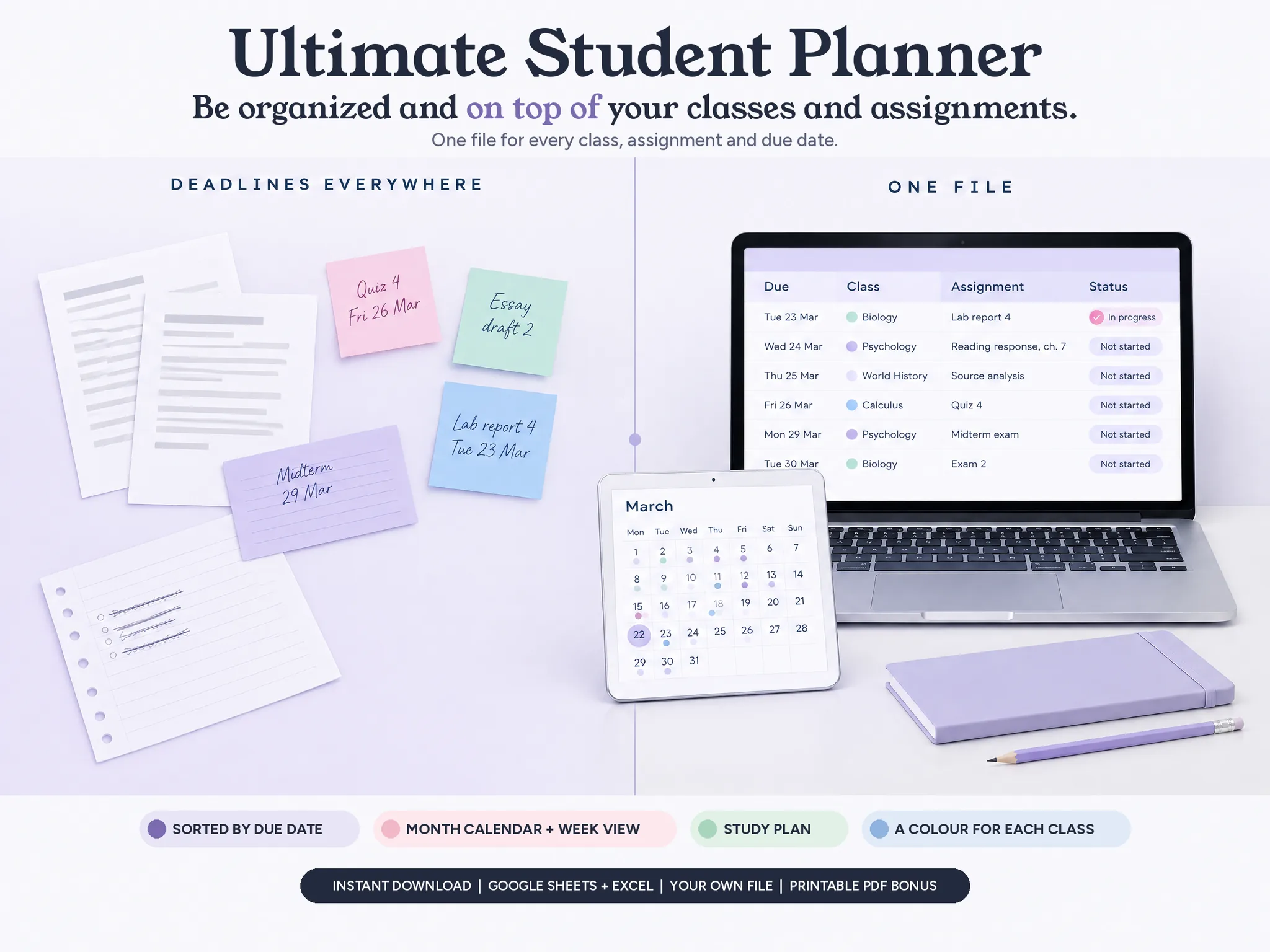
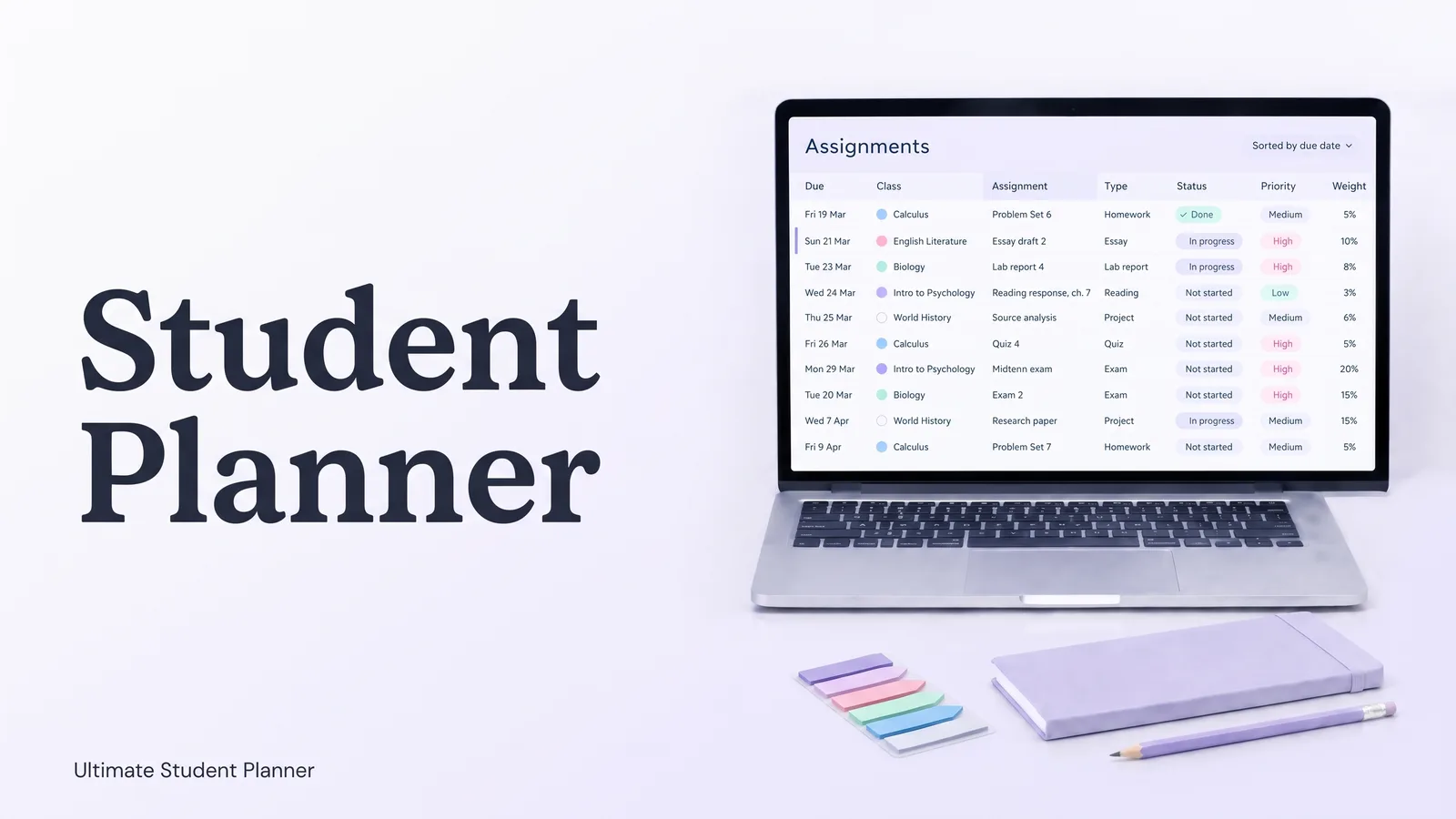
Ultimate Student Planner, a Google Sheets and Excel planner by Cosmo Suite, is our answer, but this guide is about the whole choice. A good student planner is one place that holds every class and every due date, sorted, plus a view of the week. Paper, an app or a spreadsheet can do that job. Each fails in a different way, and knowing which failure you are most likely to hit is the whole decision.
The Short List
- A student planner needs five things for each class: a name and colour, meeting times, contact details, due dates and a grade record.
- Type each syllabus in once. After that the list does the sorting.
- Plan to miss days. A reschedule list beats a streak.
- Paper wins on portability. A spreadsheet wins on sorting and next term. Apps win on reminders.
A Student Planner Is a List of What's Due, Not a Pretty Page
A student planner is a single place that holds your classes, your due dates and your week, so you can see what comes next without opening five different portals.
Most planners get this backwards. They begin with a lovely weekly spread and leave you to fill it in. By week 3 the spread is half empty, and the due dates still live in the syllabus, the portal and your head.
The fix is to start from the list. Every class has dates attached to it. Collect those first, sort them, and the week builds itself from the top of the list.
That's the idea behind the UNC Learning Center's semester planner. It describes a one-page calendar that displays the big picture of your semester, and tells you to enter the dates of all exams, papers and projects from your syllabi. The same page notes that studies found students who plan their time were more efficient with study time and scored higher on cognitive tests.
You don't need an elaborate tool for that. You need the dates in one place in the first week of term, so the setup order matters more than the brand of planner.
Student Planners at the Start of Term
Here is how the four common formats handle a semester with five classes. The appropriate choice depends less on personal taste than on what you tend to forget.
| Format | Strong at | Weak at | Best for |
|---|---|---|---|
| Paper planner | Portable, no screen, nothing to log into | You sort and count by hand; copied dates drift | Students who write things down anyway |
| Free printable | No cost, print only what you need | Blank pages, no totals, one term at a time | A single class or a light term |
| Phone app | Reminders, always with you | Free tiers vary; your data lives in their app | Students who need alerts |
| Spreadsheet | Sorts due dates, filters by class, reuse next term | Needs a laptop or tablet, no built-in alerts | Four or more classes at once |
Prices move, so check them yourself. As of 8 October 2026, Calendly's roundup of student planner apps lists myHomework as free or $4.99 a year for Premium, and Power Planner as free with a paid upgrade. Vertex42 offers free printable weekly student planners in Excel and PDF, for personal use only.
Each format works for someone. Paper starts to strain at four or more classes, because one week can hold a quiz, a lab report and a reading response, each from a different syllabus.
What a Student Planner Should Hold for Each Class
Whatever format you eventually pick, check it against this list. Consider a planner that has no room for office hours: you will keep them somewhere else, and two places is how dates get missed.
Name, code and a colour
Give every class one colour and use it everywhere. When you glance at a crowded week, the colour tells you which class an item belongs to before you read a single word.
Meeting times and where
Days, start and end times, the room or the link. This is the class schedule, and the planner should show it by day so you see today's classes first.
Instructor and office hours
Office hours go unused when nobody remembers them. Put them next to the class, not in an email you will never find again.
Every due date, with a weight and a time estimate
This is the heart of a student planner. For each assignment, quiz, exam, project or reading, keep the due date, the type, the status and how long it will take. A weight is the share of the final grade an item carries, and it tells you what to start first. For example, a 20% midterm outranks a 3% reading response even when the reading is due sooner.
Credits and a grade record
Credits let you work out a semester GPA, and a grade record lets you see where you stand during the term rather than after it.
From the sample semester: five classes, 17 credits. Intro to Psychology (3), English Literature (3), Biology (4), Calculus (4) and World History (3). Each has its own colour.
Set Up One Semester in an Afternoon
You can do this on paper or in a sheet. The order matters more than the tool.
- List your classes. Name, code, credits, instructor, office hours, room. Five classes takes ten minutes.
- Add the meeting times. One row per meeting, Monday to Friday. Check that nothing overlaps.
- Type every due date from every syllabus. One row each: class, assignment, type, due date, estimated time, weight. This is the longest step: plan on an hour or so for five classes, in week 1.
- Mark the heavy weeks. Sort by due date and look for clusters.
- Add study sessions last. Only now do you know where the time is.
Many planners go wrong at step 5. They start with study sessions before any due date exists, so the plan collapses the first time a real week hits it.
A reschedule list is where missed study sessions go, so the plan survives a bad week. In a spreadsheet, step 4 is a sort. In Google Sheets, filter views let you save a "Biology only" or "This week" view without changing what the rest of the sheet shows.
How the Ultimate Student Planner Handles This
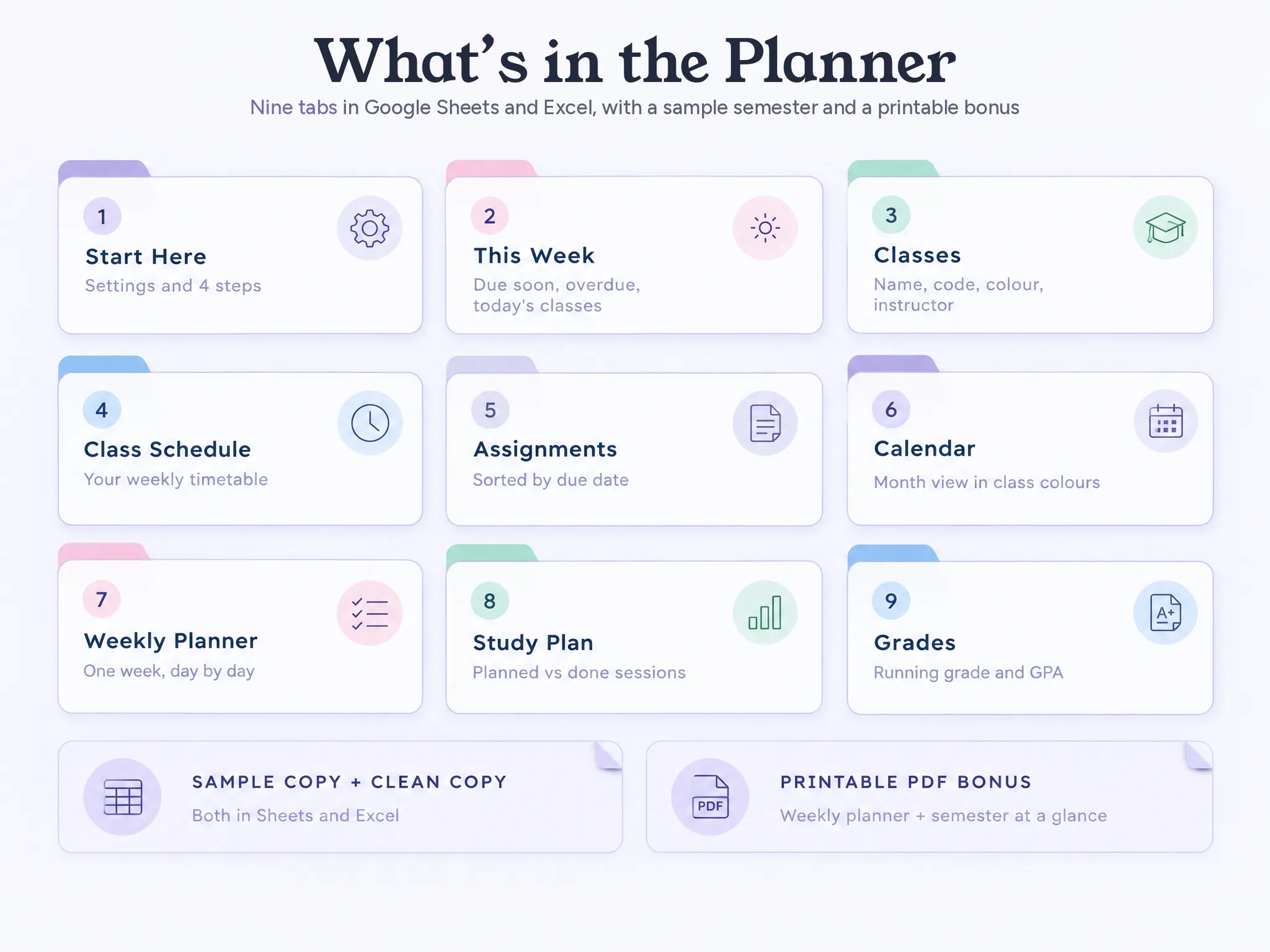
The planner follows that order: a student planner spreadsheet that sorts every class's due dates made around it. It is a single file for Google Sheets and Excel, organized into nine connected tabs: Start Here, This Week, Classes, Class Schedule, Assignments, Calendar, Weekly Planner, Study Plan and Grades.
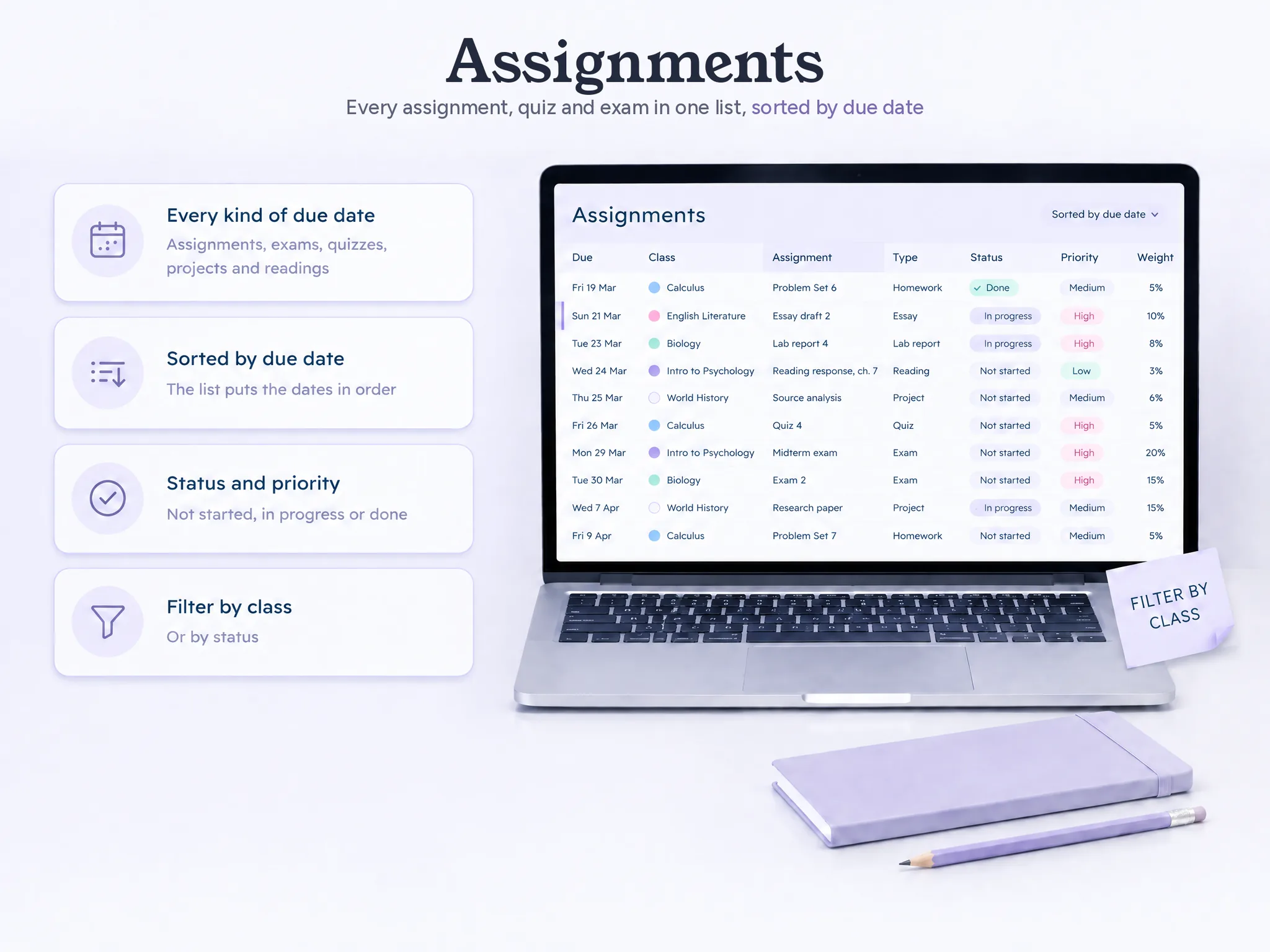
You enter each class once on the Classes tab, with a colour. Class Schedule, Assignments, Calendar and Weekly Planner use that colour. You type each syllabus's dates into Assignments. They sort by due date by themselves, and you can filter by class or status. A month calendar fills in from the same list, and so does the weekly planner.
It has four limits, stated plainly:
- No reminders or notifications.
- No sync or import from Canvas, school portals or calendar apps.
- No rotating A/B day schedules.
- It's a spreadsheet, not an app. You open the file.
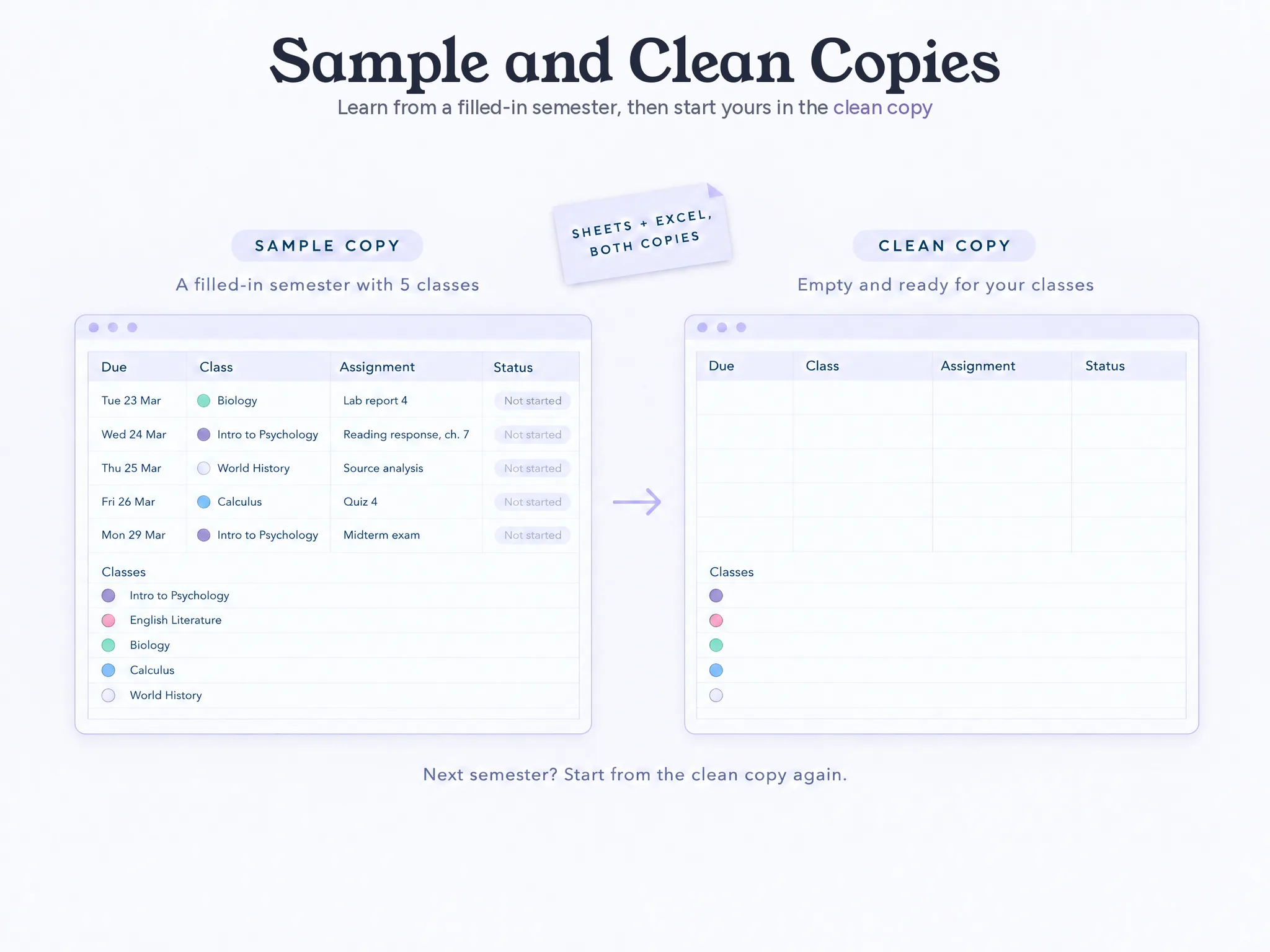
It comes as a sample copy, a filled-in semester, and a clean copy for your own. Two printable pages (a weekly planner and a semester at a glance, US Letter and A4) are included. It's $9, once. A new term starts from the clean copy.
One Week of the Sample Semester
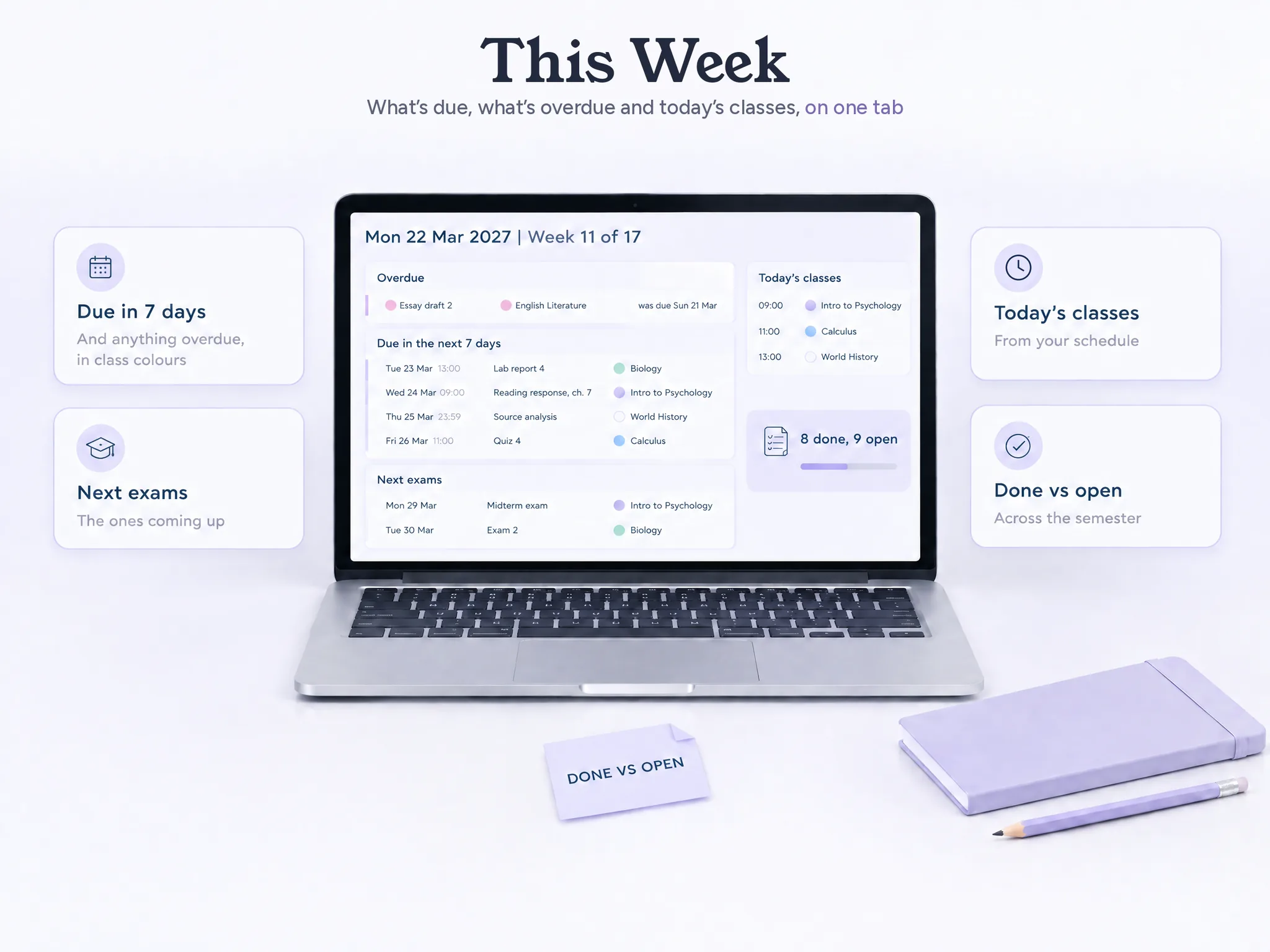
Here is what a week looks like when the list is in one place. This is the sample file, Monday 22 March, week 11 of 17.
The This Week tab shows four things due in the next seven days:
- Lab report 4 (Biology), Tuesday 23 March, 13:00.
- Reading response, chapter 7 (Intro to Psychology), Wednesday 24 March, 09:00.
- Source analysis (World History), Thursday 25 March, 23:59.
- Quiz 4 (Calculus), Friday 26 March, 11:00.
It also shows one overdue item, Essay draft 2 for English Literature, due Sunday night. And it shows the next exams: the Intro to Psychology midterm on Monday 29 March at 09:00, and the Biology Exam 2 the day after, at 13:00.
Those two exams, worth 20% and 15% of their classes, sit on back-to-back days behind a week of smaller deadlines.
A calendar with one exam on each day shows two events, not the load. A sorted list with weights and estimated hours shows the load, and it can show it in week 1 instead of week 11.
The Study Plan tab then fits sessions around those dates: 7 sessions and 12 hours planned for the week, with planned and done time side by side.
Plan the Week From the Due Dates
Once the list exists, a study plan is a matter of arithmetic. Imagine you are the student in the sample file, and you look at the week ahead on Monday morning. Which sessions do you need, and where do they fit?
Start with the dates that carry the most weight. The Intro to Psychology midterm (20%) is on Monday 29 March, so it needs two review sessions before then: chapters 5 to 8 on Wednesday for 1.5 hours, and chapters 9 to 12 on Saturday for 2 hours. The Biology Exam 2 (15%) falls the next day, so it gets a 2-hour review on Sunday. Smaller items fill the gaps: 1.5 hours of Quiz 4 practice on Monday, 2 hours on Tuesday for Lab report 4, 2 hours on Thursday for the Source analysis, and an hour of Quiz 4 review on Friday.
Add those up and you get 1.5 + 2 + 1.5 + 2 + 1 + 2 + 2 = 12 hours across 7 sessions. You can see that week in advance only because the due dates and estimates came first. Planned the other way round, the exam weekend would have looked empty.
Then something goes wrong. The Sunday English session never happens. In the sample file that two-hour block moves to the reschedule list, you decide on Monday where it goes, and the rest of the week stays as planned.
What Keeps a Student Planner Alive Past Week 3
Planners usually get dropped after one disrupted week breaks the plan. Rebuilding it feels like starting the semester over.
Three habits help.
Plan for missed days. A study session you skipped should move to a "to reschedule" list, such as the one in the Study Plan tab, instead of sitting there as a failure. In the sample file, the missed two-hour English session sits on the reschedule list, and nothing else in the week changes.
Review once a week, for ten minutes. Sunday evening works for most people. Open the This Week view, check what is overdue, and move anything that slipped.
Keep one master list. If you also use a paper planner or a phone calendar, treat them as copies. When a professor moves a due date, change it in the master list first. A student planner that holds every class's due dates in one file only works if there is one file.
A streak counter turns a missed day into a failure. A reschedule list turns it into a row.
Paper, App or Spreadsheet: How to Choose
Choose according to the thing you are most likely to forget, because every format has a weakness and you want the weakness that hurts you least.
- You forget to look. Use an app with reminders. A spreadsheet will not nudge you.
- You forget what is due across classes. Use a spreadsheet or a master list. It shows every class's dates in one sorted list.
- You forget what you wrote. Use paper, and keep it with you.
- You start each term from scratch. Use a spreadsheet with a clean copy, so you reuse the structure.
You can also combine them. A common arrangement is a spreadsheet as the master list, a phone calendar for notifications and a printed week for the desk.
About these sources: our methodology is simple. The numbers and prices on this page were checked on 8 October 2026 under our editorial policy, and you can read more about the team behind this site. Fact-check anything with your own syllabus, since your professor has the final word on dates.
Sources: UNC Learning Center, Semester and Weekly Planners; Vertex42, Printable Weekly Student Planners; Calendly, 6 best student planner apps; Google Docs Editors Help, filter views. All checked 8 October 2026. The sample semester is the example data in Ultimate Student Planner.
Frequently asked questions
Does a student planner work for high school?
Yes. The same parts apply: your classes, their due dates and a view of the week. High school students usually have fewer classes with shorter assignments, so a lighter setup is enough. Skip the grade tracking until it is useful, and keep the due-date list and the weekly view.
Is a paper planner or a spreadsheet better for students?
It depends on where you work. Paper is portable and needs no battery, but you sort and count everything by hand. A spreadsheet sorts due dates automatically and can be reused next term, although you need a screen to open it. Many students keep a spreadsheet as the master list and print the week.
How much does a student planner cost?
It ranges from free to a one-time price. Vertex42 offers free printable weekly student planners in Excel and PDF. Planner apps are often free with paid upgrades, such as myHomework at $4.99 a year for Premium (as of 8 October 2026). Ultimate Student Planner costs $9 once.
What should I put in a student planner first?
Every graded item from every syllabus, with its class and due date. That takes about an hour for five classes and shows the heavy weeks early. Add class times and office hours after that. Study sessions come last, once you can see what is due.
Does a student planner send reminders or sync with Canvas?
Apps often do. A spreadsheet planner does not: Ultimate Student Planner has no reminders and no sync with Canvas, school portals or calendar apps. You type the dates in once and check the This Week tab. If you need alerts, keep your phone calendar for those.
What if I miss a few days and fall behind?
Move the missed sessions to a reschedule list and pick them back up. Do not rebuild the plan. A missed Sunday session is one row, not a failed week. Look at what is overdue and due in the next seven days, and start from there.
What is the difference between a student planner and Google Calendar?
A calendar shows time: when classes meet and when events happen. A student planner also lists every class's due dates in one sorted list, with status and weight. Use both. The calendar answers where you need to be, the planner answers what is due next.