Printable Student Planner: The Weekly Page and the Semester Page
Student planner printable: pair a semester page for fixed dates with a weekly page for next steps, plus a worked five-class setup for college or high school.
By Ultimate Student Planner by Cosmo Suite · Editorial policy
Published · 8 min read
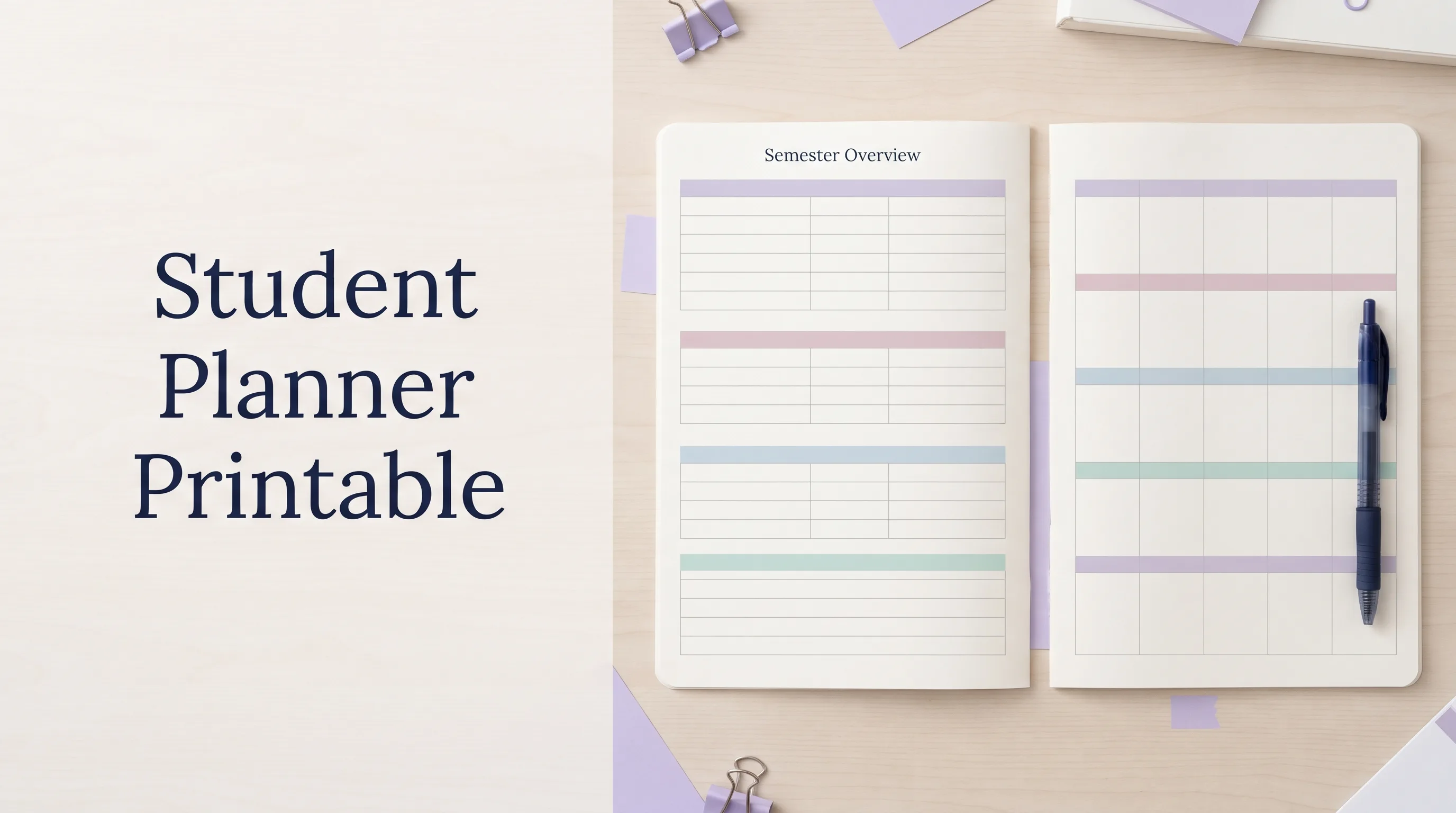
You print a student planner, fill in Monday, and then real life gets a vote. A lab runs late. Someone moves a quiz. Your neat weekly page now describes a week that no longer exists. The Ultimate Student Planner is a Google Sheets and Excel planner by Cosmo Suite (ultimatestudentplanner.site) with printable pages for both views.
A student planner printable works better when two pages have two jobs: the semester page shows the dates you cannot afford to miss, and the weekly page turns those dates into a short plan. You can use either page alone.
The Short List
- Put exams, papers, breaks and project dates on the semester page.
- Put this week's class blocks, due work and study sessions on the weekly page.
- Keep a short list of where dates came from, so a changed deadline can be checked.
- Print one week at a time. You can adjust a page without reprinting a whole term.
A Printable Student Planner Needs Two Time Horizons
A printable planner is useful when it answers one question at a time. The semester page answers, “Which weeks will be heavy?” The weekly page answers, “What should I do next, and when can I do it?”
A student planner printable is a paper page where you write school dates and work by hand. A semester-at-a-glance page is a term map of fixed dates. A weekly planner page is where you schedule the work you can do in the coming days.
Put every reading and small task on the semester overview and it becomes unreadable. Put only the next seven days on paper and a major paper due in six weeks can sneak up on you.
The UNC Learning Center recommends entering major dates from your syllabi into a semester view, then working backwards to plan the work. Carnegie Mellon University's guide to using a planner wisely also pairs a weekly schedule with a semester overview. A paper version can follow the same sequence.
Which Student Planner Printable Should You Use?
Choose the page by the decision you need to make. If you are choosing between formats, this comparison of paper planners, apps and spreadsheets lays out what each does well.
| Page | Put on it | Use it to | Best for |
|---|---|---|---|
| Semester at a glance | Exams, papers, projects, breaks | Spot crowded weeks early | Seeing the shape of a whole term |
| Weekly planner | Class times, this week's due work, study blocks | Choose the next realistic actions | Planning a week you can change |
| Both pages | Major dates on one, current work on the other | Move from term view to weekly choices | Several classes with different syllabi |
| Digital calendar | Timed events and reminders | Get alerts and carry dates on your phone | Students who need notifications |
Keep the semester page for major dates. Put the work for this week on the weekly page. A digital student planner spreadsheet can serve as the source list, so you do not need to retype dates on every new page.
The UC Berkeley Student Learning Center offers blank semester and weekly planning calendars if you want pages to fill in yourself.
What Belongs on a Semester-at-a-Glance Page?
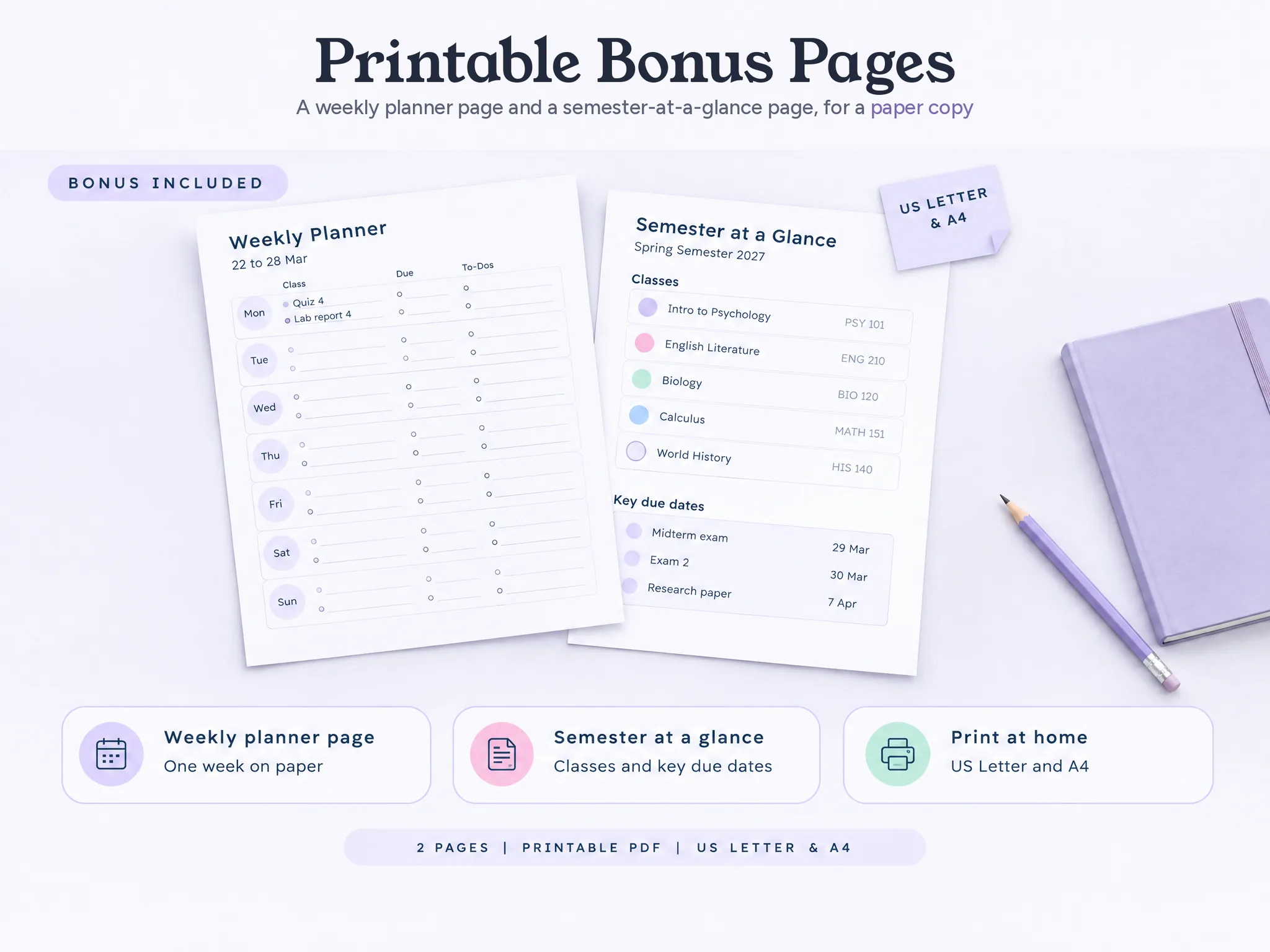
The overview page should hold the dates that change how you prepare for the term. Start with exam dates, paper and project deadlines, school breaks, and any fixed event that affects your availability. Add a short label and the class name or color.
For a five-class term, that might be a Biology lab report, a Calculus exam, an English paper, and a World History project. You do not need to copy every chapter reading onto this page. If several deadlines land in the same week, mark that week. You now know when to begin earlier.
Keep the page scannable. Write “Bio lab report” rather than the full prompt. Add the exact instructions and smaller steps to your weekly plan or course notes. If the date moves, update the overview and the current week, then check your syllabus or course portal for the authoritative date.
What Goes on a Weekly Student Planner Page?
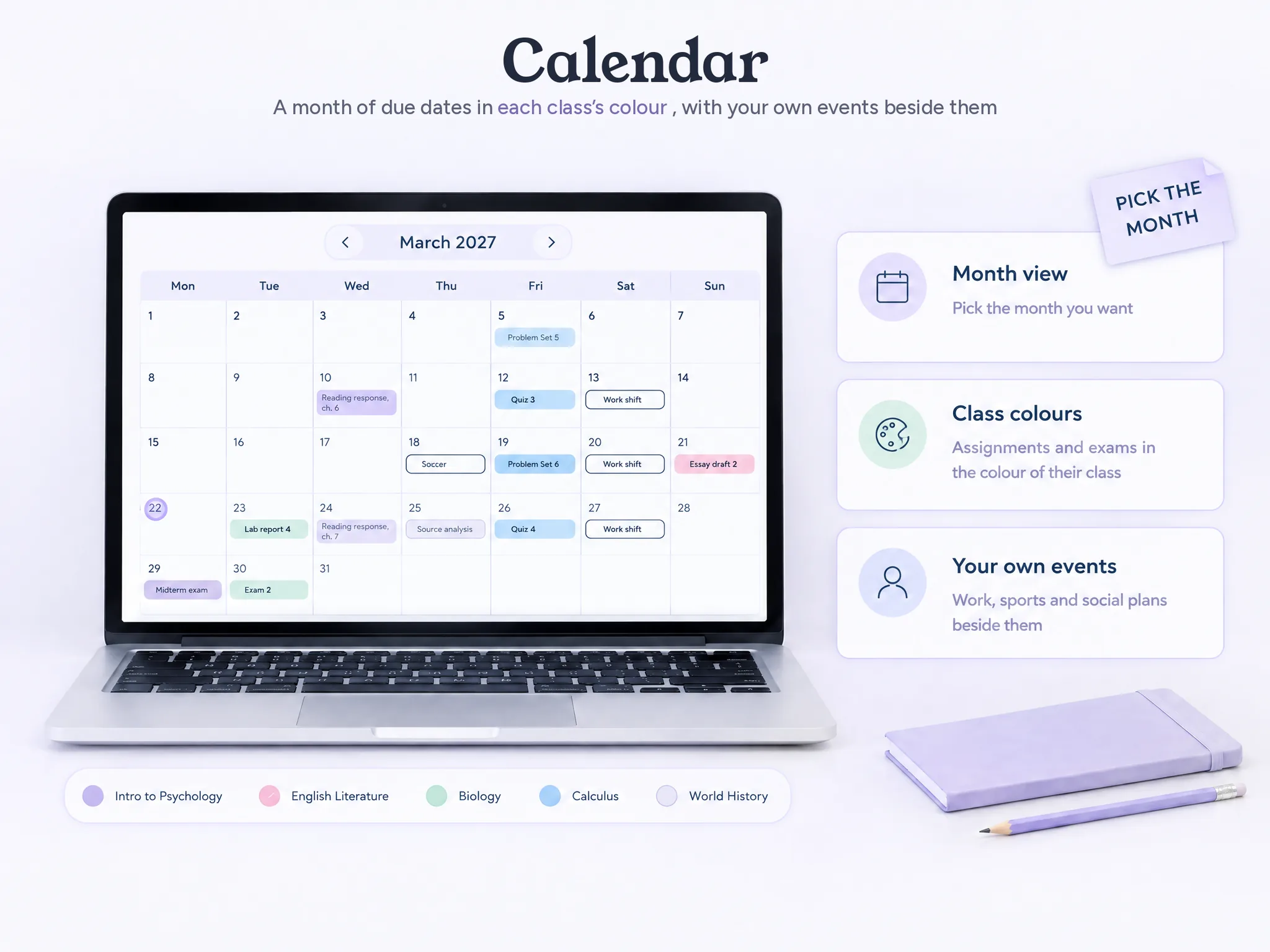
Your weekly page holds the work you can act on now. Add the times you are in class, assignments due this week and study blocks. Leave some blank space for a late bus or a reading that takes longer than expected.
The UNC Learning Center suggests setting aside 15-30 minutes for a weekly review. Check each course, estimate the work and place it in open slots. Carnegie Mellon recommends naming the course task in its time slot. A Biology lab draft, a short reading response and a check before the due date make a clearer plan than three blocks labelled “study.”
Try these fields:
- Class: Use the same color or short label each week.
- Due work: Include the date and a small next action, not only the assignment title.
- Study time: Give a task a place in the week instead of writing “study” seven times.
- Carry forward: Leave a small area for unfinished work that still matters.
A free printable from Vertex42's student planner collection, for example, offers weekday and subject layouts, along with space for other activities and notes. Its page says its templates are for personal use, so check the license before sharing or redistributing a copy.
Penn's Weingarten Center provides separate semester, monthly and weekly planning tools. Each page gives you a different time horizon to review.
How the Ultimate Student Planner Handles This
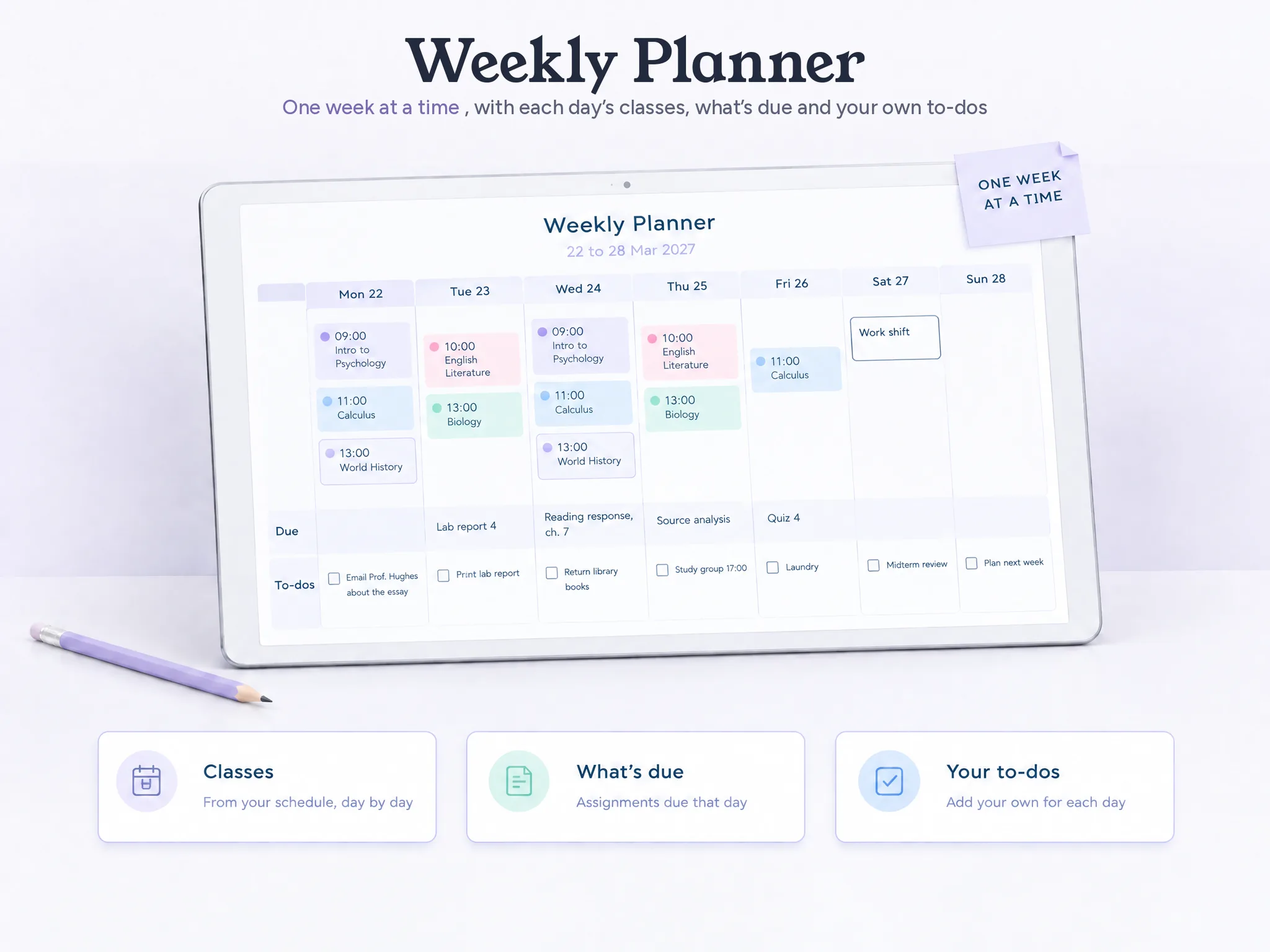
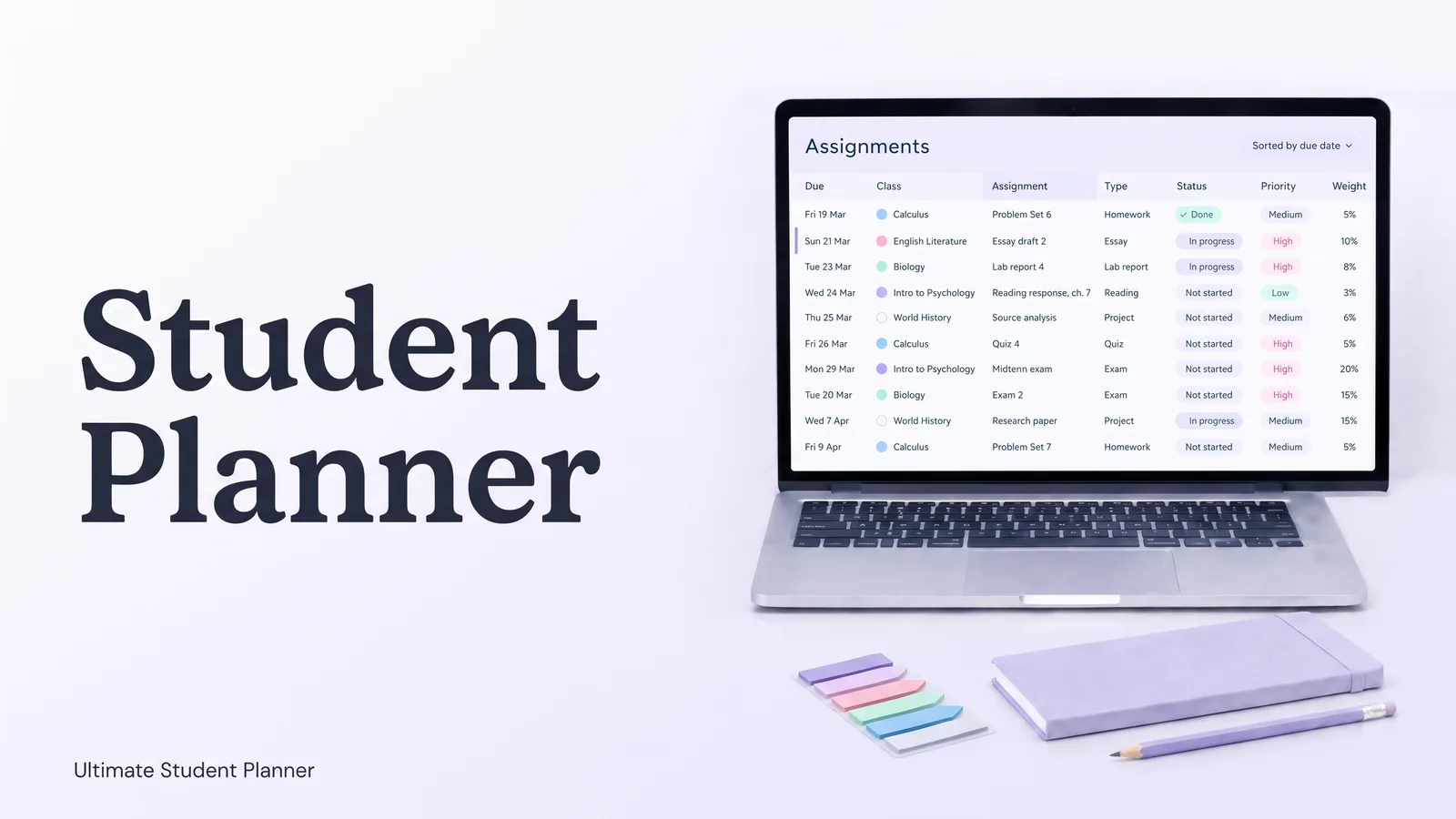
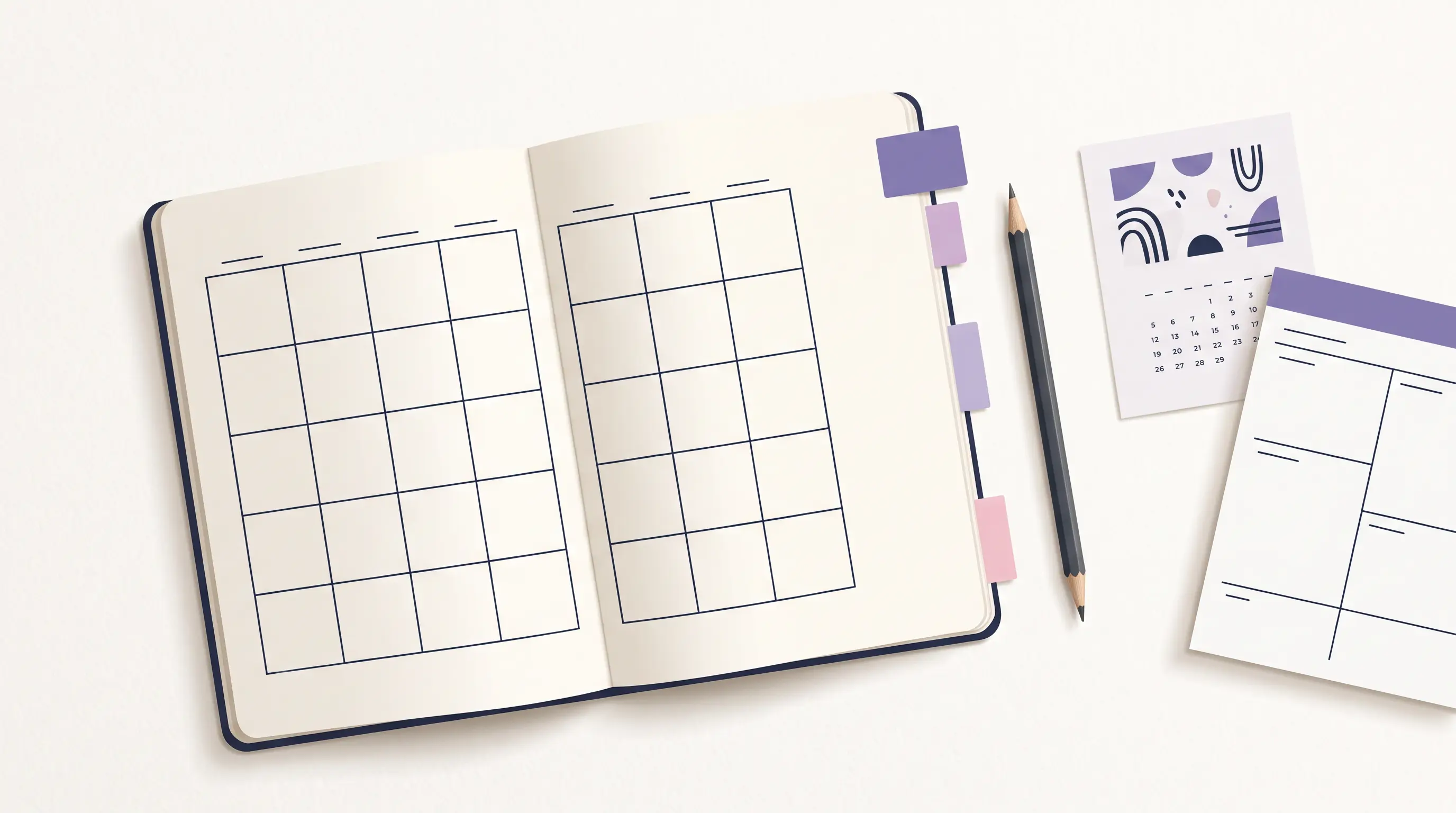
The Ultimate Student Planner is a Google Sheets and Excel workbook with a printable bonus. Its download includes a filled sample copy, a clean copy, and two printable pages: a weekly planner and a semester at a glance, in US Letter and A4. The student planner workbook and its printable pages can suit you if you want a digital source list plus paper for the week.
The PDF pages are static. If a due date changes in your file, you need to update the paper page yourself or print it again. The workbook does not sync with Canvas, school portals or calendar apps, and it does not send reminders. Use a phone calendar if alerts matter to you.
You can use the printable pages without making paper the source of every date. Keep the syllabus or a digital list as the reference, then put the dates you need on the overview and the current week's work on the weekly sheet. That gives you the option to carry one page and keep the longer list at home.
Cosmo Suite built the workbook shown here. Read about our team and our editorial policy, or contact us about a correction or question.
How to Set Up Both Pages from Five Syllabi
Pull up the syllabus before filling the page. The student planner guide for setting up each class and due date uses a five-class sample semester, which shows how the semester and weekly pages work together.
The sample semester has five classes and 17 credits: Biology and Calculus at four credits each, English Literature, Intro to Psychology and World History at three credits each. In week 11, the sample shows four due items from Tuesday to Friday: a Biology lab report, a Psychology reading response, a World History source analysis and a Calculus quiz. Its Study Plan tab sets seven sessions for 12 hours that week. These figures describe the sample file only.
| Sample item | Course | Due | Page |
|---|---|---|---|
| Lab report 4 | Biology | Tuesday, 13:00 | Semester overview and current week |
| Reading response, chapter 7 | Intro to Psychology | Wednesday, 09:00 | Current week |
| Source analysis | World History | Thursday, 23:59 | Semester overview and current week |
| Quiz 4 | Calculus | Friday, 13:00 | Semester overview and current week |
Put the dates on the semester page first. Then add the work due in the next seven days to the weekly page, with study blocks before each deadline. The source for this worked example is the student planner's sample semester and due-date list.
- List the fixed dates. Scan all five syllabi for exams, papers, projects, breaks and presentation dates. Add those to the semester overview with a course label.
- Circle the crowded weeks. If two exams and a paper land together, mark the week now. You can plan the work in detail later.
- Work backwards from the largest task. For a paper, add a research block and a first-draft block to the weekly page before the due week. The due date stays on the overview.
- Plan only the current week in detail. Add classes, work shifts and appointments first. Then place the next actions in the open spaces.
- Review and adjust. At the next weekly check-in, move unfinished work that still matters. Cross off what is done and confirm changed dates against the course source.
For a paper due in three weeks, the overview needs its deadline and the weekly page needs the next step: “find two sources” or “draft the opening.” The following week can hold the next step. Keep the full prompt with the course materials.
The semester page shows what is coming; the weekly page shows what fits now. If the dates disagree, check the syllabus or course portal and correct both pages.
If You Miss a Week, Restart with Today
After a missed week, open the next seven days and plan only the work that still matters. Check your course sources, add anything that changed, and move unfinished work into a real time slot if it is still due.
If you missed a study block but submitted the assignment, leave it behind. If the assignment is still open, choose a smaller next step and put it on this week's page. Carry forward only unfinished work that is still due, so you begin with a short, current list.
If you print pages in advance, keep the unused ones blank. Check your dates before printing the next week, and you will have fewer pages to rewrite when plans change.
Sources checked 19 October 2026: UNC Learning Center, Vertex42, Carnegie Mellon University's Student Academic Success Center, the University of Pennsylvania Weingarten Center, and UC Berkeley's Student Learning Center.
Frequently asked questions
Is a printable student planner useful for college and high school?
Yes. A weekly page can hold classes, study blocks and due work at either level. A semester overview helps when your course has dates that span many weeks. High school students can use the same setup with fewer class rows; college students may want one color per course.
Should I use a weekly student planner or a semester calendar?
Use the semester page to see fixed dates and heavy weeks. Use the weekly page to decide when you will work. If you have several courses, using both gives you a big-picture view and a place for the next actions.
How many copies of a weekly planner should I print?
Start with one page for the current week. Print another only when you are ready to plan it. This keeps old blank pages from turning into a small paper guilt pile. Check your printer's paper size and two-sided settings before printing a full set.
What should go on a semester-at-a-glance page?
Add the dates that shape the term: exams, papers, project deadlines, breaks and other fixed commitments. Keep daily tasks and small readings on the weekly page. The overview should make busy periods visible without becoming a second assignment list.
What if I miss a week of planning?
Restart with today and the next seven days. Check your syllabi or source list for anything that changed, move unfinished work to the current week, and leave completed or expired items behind. You do not need to recreate the week you missed.
Does a printable student planner update when I change a spreadsheet?
A printed page is static. If you edit dates in a spreadsheet, you need to print the updated page again. A PDF does not sync with a spreadsheet or school portal unless a product specifically says it does.
Does Ultimate Student Planner include printable pages?
Yes. The download includes a weekly planner and a semester-at-a-glance page in US Letter and A4 sizes, alongside a sample spreadsheet and a clean copy. The PDF pages are printable companions; they do not update automatically when you edit the spreadsheet.
Sources
Keep reading
Student Planners
Student Planner: What It Should Hold for Each Class (Paper, App or Spreadsheet)
Student planner setup for one semester: what to keep for each class, how paper, apps and a spreadsheet compare, and a routine to restart after a bad week.
· 10 min read
Student Planners
Best Academic Planner for 2026-2027: Paper, App or Spreadsheet?
Compare paper, digital PDF, app and spreadsheet planners for 2026-2027. See current prices, what each handles well and which fits your classes.
· 9 min read
Student Planners
Student Planner Template: The 9 Parts a Semester Actually Uses
A student planner template with nine parts for class details, due dates, a weekly plan and grades. See how to build a setup you can restart after a missed week.
· 8 min read
